





Merchandise Planning
Set Column Right-Border Widths
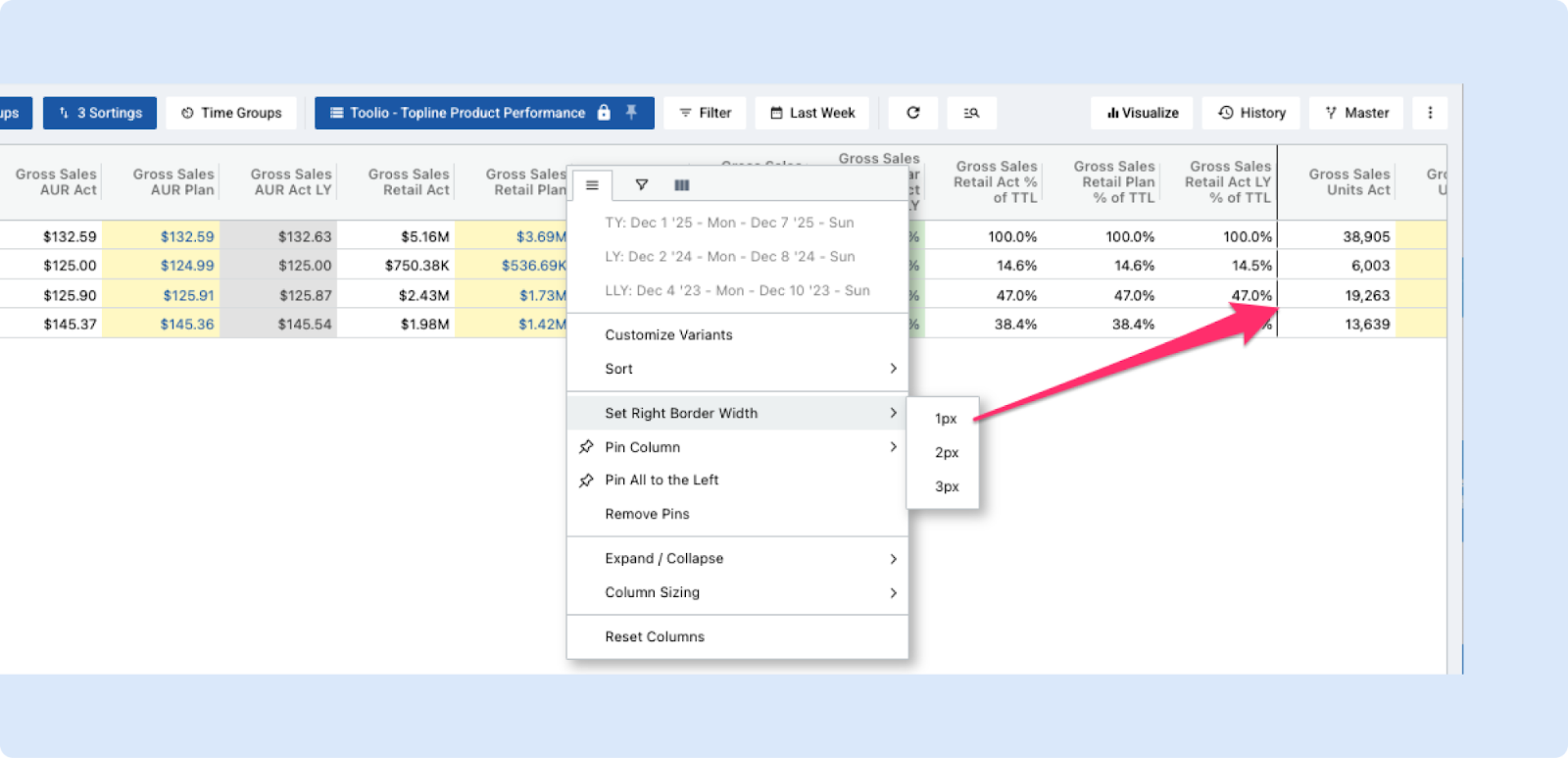
Merchandise Planning now lets you set a right border width on any column (1px, 2px, or 3px) from the column header right-click menu — borders apply immediately, can be toggled off by selecting the same width again, and are saved with your view so they persist across sessions.
This makes dense grids easier to scan and helps visually separate or group columns without changing layout. The same capability will be added to Assortment Plan and Allocation in the weeks to come.
Expanded Scenario Variant Visibility
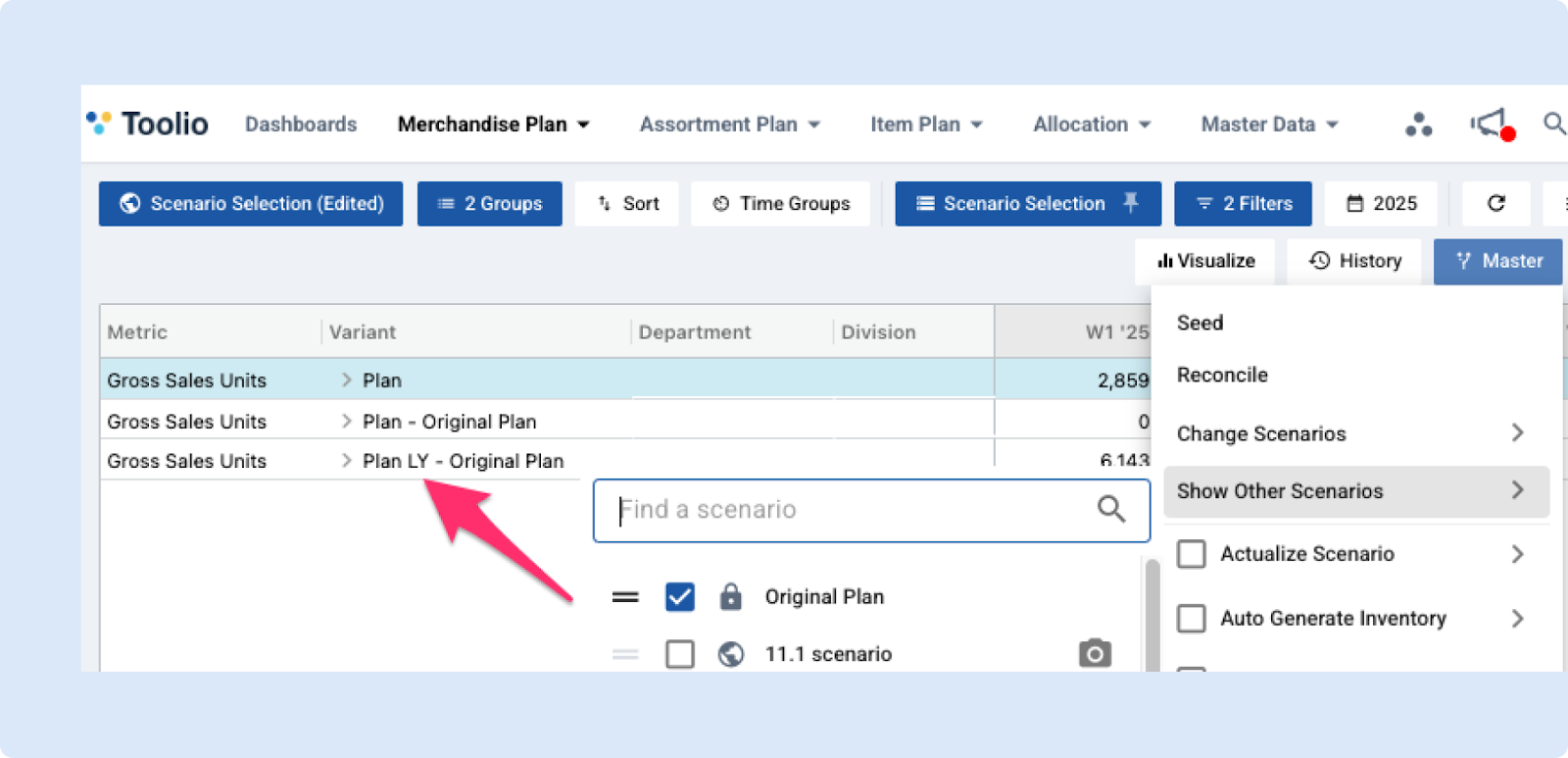
Enhanced scenario visibility when Show Other Scenarios is enabled.
Previously, users could only view:
- Plan – Scenario comparisons.
Now, all scenario variants are included—such as:
- Plan LY – Scenario
- Plan % of TTL – Scenario
- and others
Providing a more complete and consistent view across planning scenarios.
Improved Scenario Management
We’ve made it easier to share, protect and manage your scenarios.
What’s new
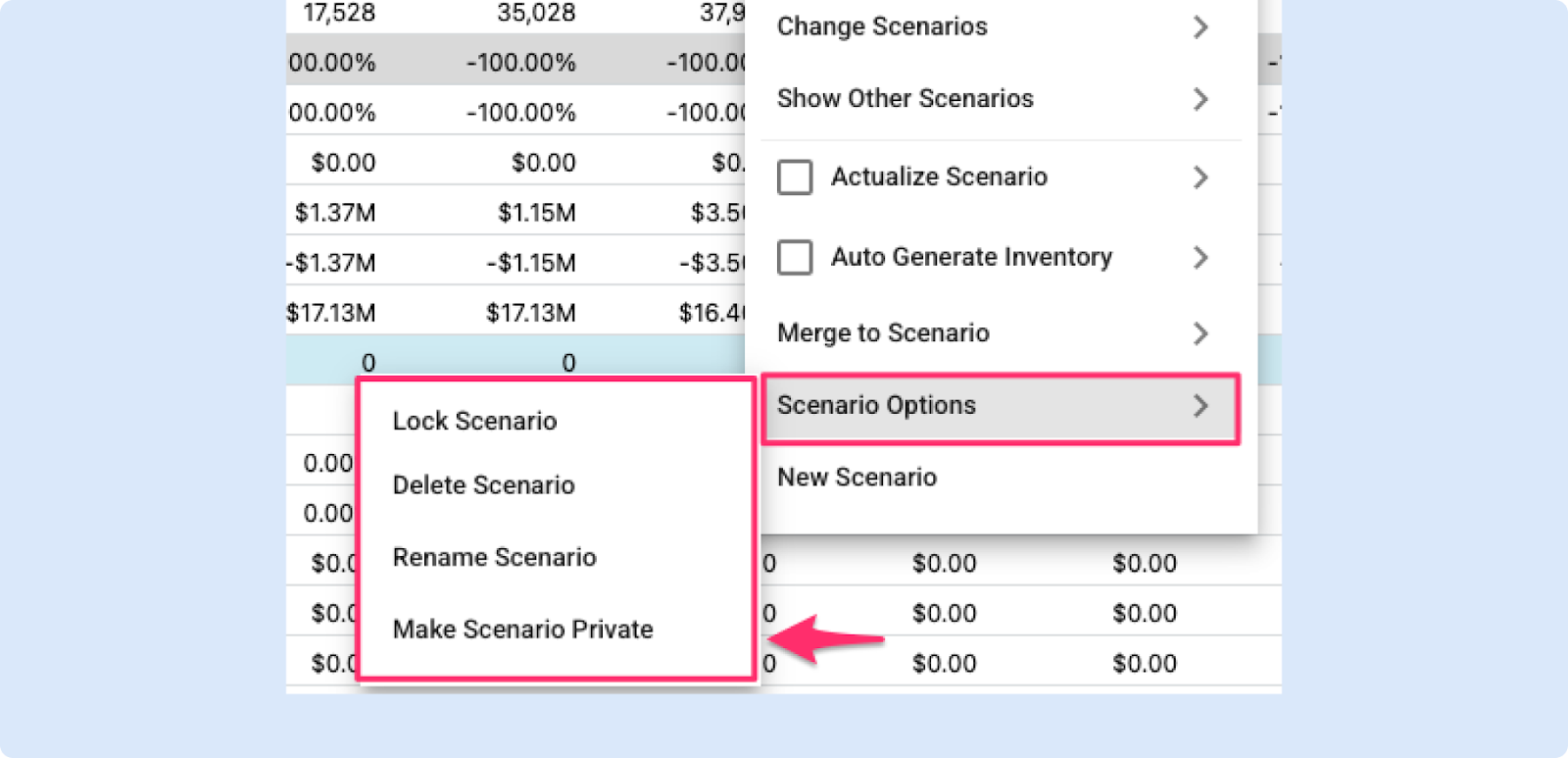
- A new Scenario Options menu puts all scenario actions in one place — Lock, Rename and Delete are now grouped together for faster access.
- You can now toggle any scenario between Public and Private from the Options menu, even after it’s created.
Data Scope in Merchandise Plan
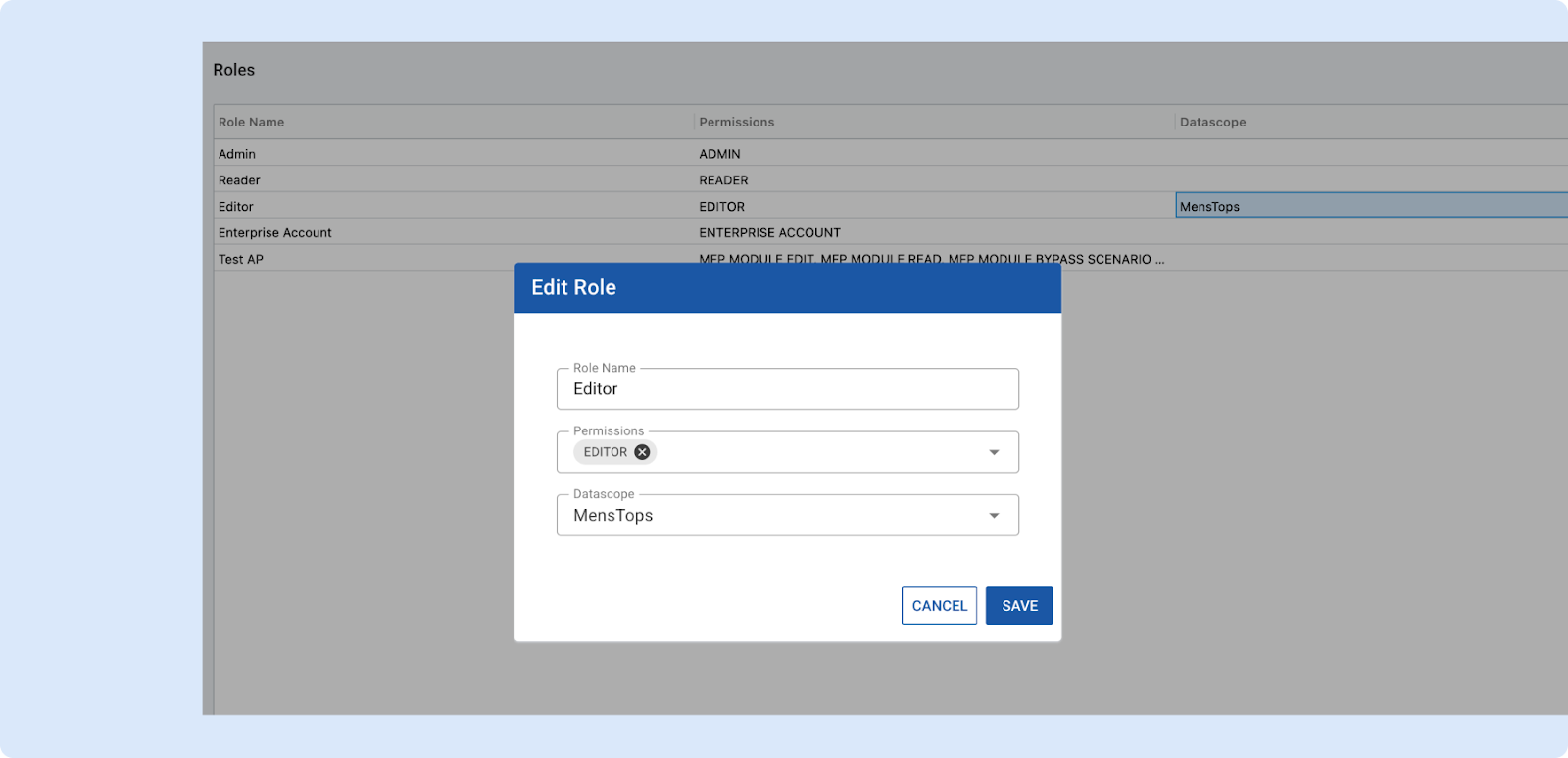
We’re excited to introduce Data Scope, a powerful new way to control data visibility across Toolio!
What is Data Scope?
Data Scope defines which subset of your product hierarchy (Eg., Division → Department → Class) a user can access.
It ensures users only see and work with data that’s relevant to their role — improving both security and efficiency.
Key Highlights
- Granular Access Control – Define visibility by Division, Department, or Class (up to Level 3).
- Hierarchical Filters – Departments must belong to a selected Division, ensuring consistent hierarchy access.
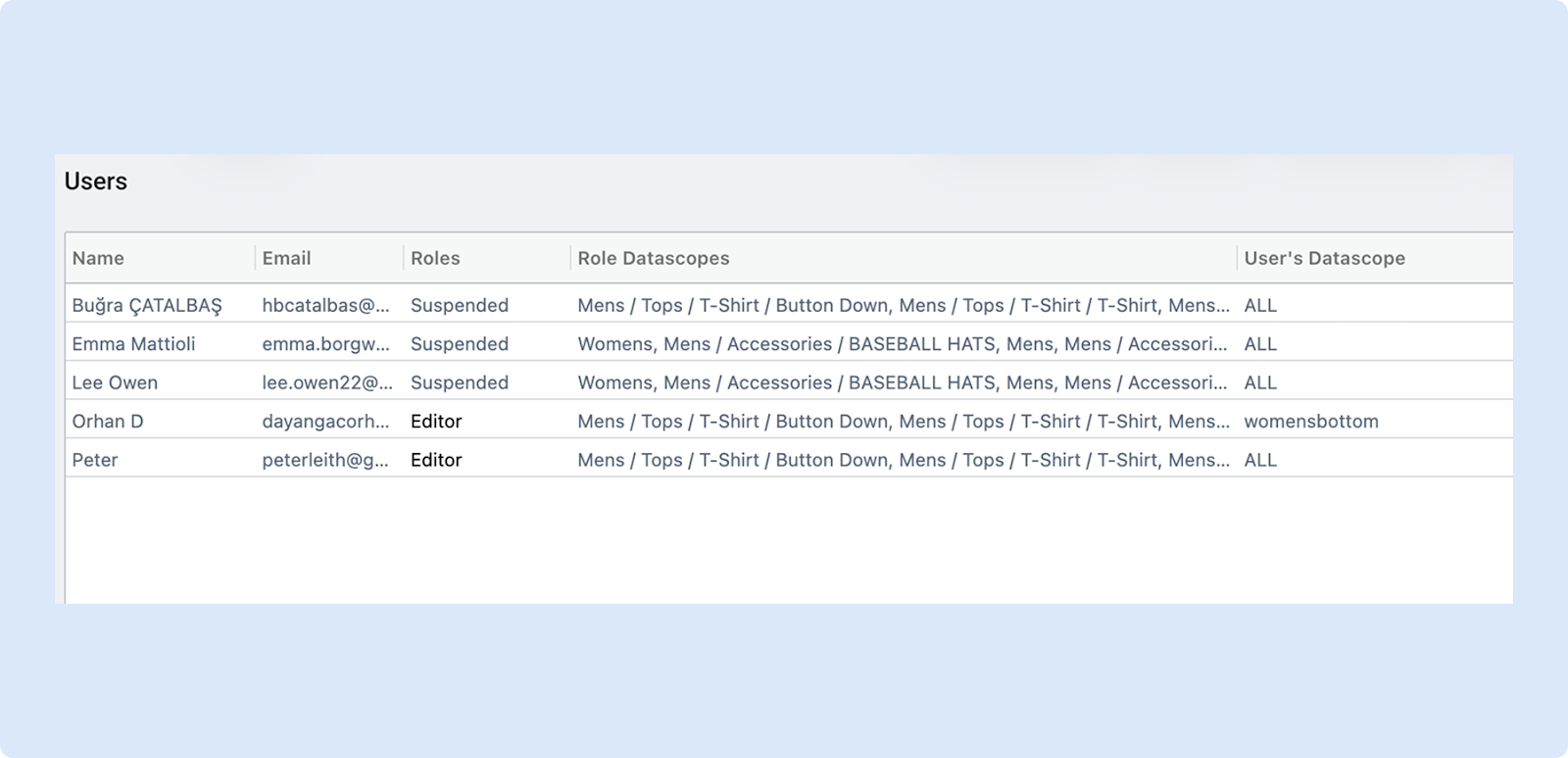
- Flexible Assignment – Apply Data Scope at the Role or User level:
- Role-Level Scope: Default for all users with that role.
- User-Level Scope: Overrides the role’s scope when defined.
- Admin Management – Only Admins can create, edit, and assign scopes underOrganization Settings → Data Scope.
Available Now in MFP
Data Scope is currently supported in the Merchandise Planning (MFP) module. All MFP actions — reconcile, seed, merge, etc. — automatically respect the user’s defined Data Scope. Support for other modules is coming soon.
Migration Details
During rollout, all roles start with an “All” Data Scope (full access).
Admins can then:
- Restrict role-based scopes, or
- Assign specific user-level scopes as needed.
Example Scenarios
- Planner Role: Planner Permissions + Data Scope = Women
- Allocator Role: Allocator Permissions + Data Scope = Men > Clothing > Bottoms
👉 Read more about data scope and user management
Assortment Planning
Location Lists in Assortment Plan
We’ve enhanced Location Management in Assortment Planning with Location Lists, giving planners a more flexible way to manage subsets of stores without creating new cluster groups. Location Lists can now be enabled for use in AP and applied directly in Line Planning as an additional filter on top of existing ACGs. This allows teams to plan for groups like Hot Stores, Cold Stores, or Luxury locations using existing clusters, while the system automatically applies intersection logic, location counts, and forecasting based on the selected locations. The result is less cluster duplication, cleaner setup, and faster, more adaptable planning.

Multi Plan and Scenario Settings for Assortment Plan
New
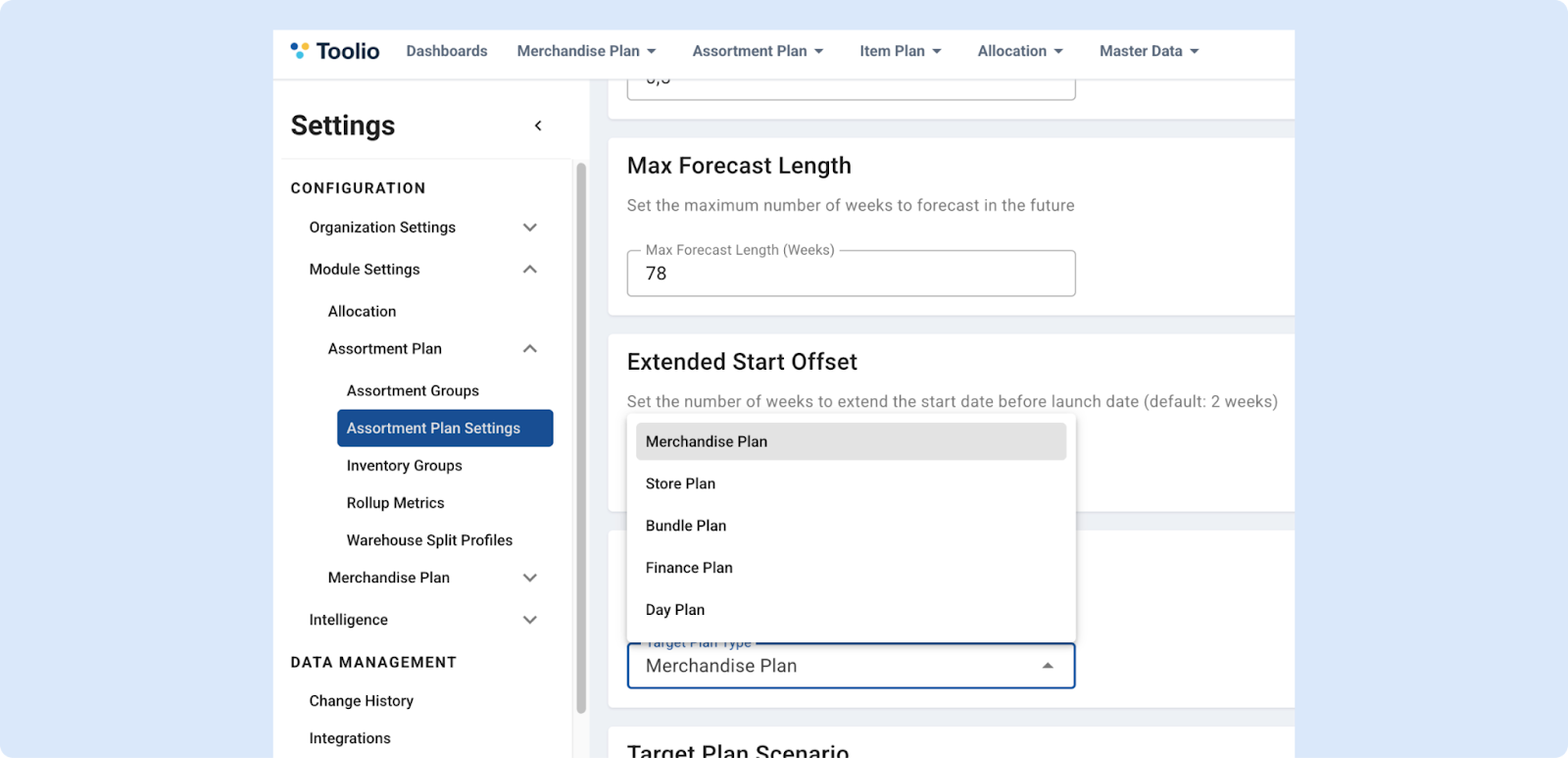
Assortment Plan Settings are now available to help you reconcile bottom-up Assortment Plans with your top-down Multi Plan targets.
In Settings → Assortment Plan → Assortment Plan Settings, you can pick a Target Plan Type and Target Plan Scenario (defaulting to your first Multi Plan and its default, typically the Master Scenario). Once selected and saved, your choices apply system-wide, so key components consistently reference the same baseline:
- Reconciliation in AP Reporting compares against your chosen target,
- Plan Metrics in both AP Summary View and AP Rollup align, and
- AP Rationalization calculates Hindsight Metrics relative to the same target plan and scenario.
👉 Read more about multi plan and scenario settings
Promotional Causal Indicator on Metrics Tab
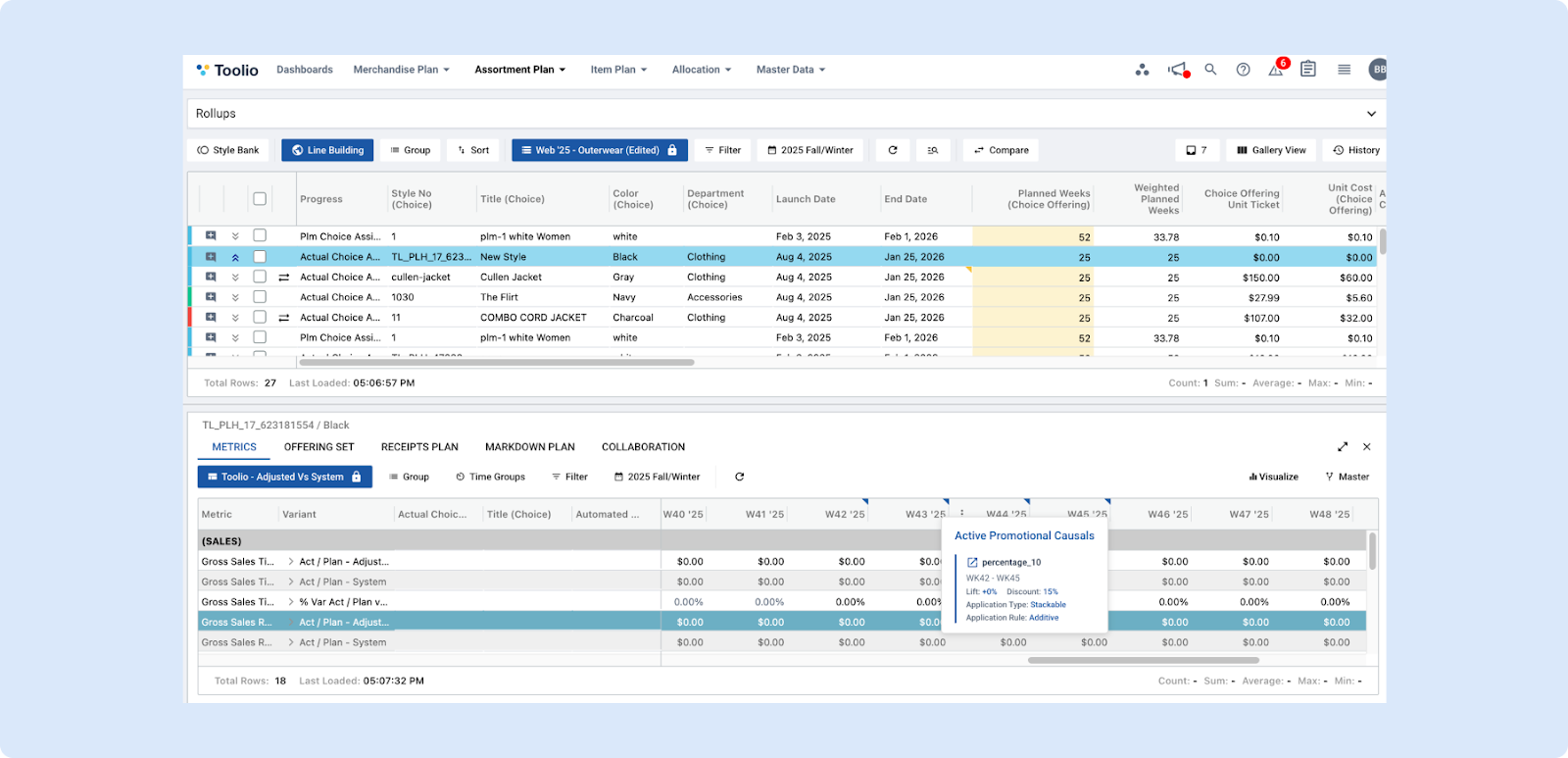
The promotional causal indicator provides planners with a clear, visual way to understand when promotional causals are applied across weekly, monthly, quarterly planning grids. When promotions are active, subtle icons appear directly in the grid headers, allowing users to quickly identify impacted periods at a glance. Hovering over an indicator reveals interactive tooltips that surface key metrics—such as lift and discount percentages, application rule and type—supporting faster, more informed decision-making. Just note that when hovering, try to hover from the left hand side rather than right as on the right you also have cell width controllers.
👉 Read more on promotional causal indicators
Planners can also click into any indicator to access full promotion details for deeper review or adjustments, and when multiple promotions overlap in the same week, the system displays layered indicators to ensure complete visibility into all active drivers.
Partial Week Promotion Definition
We’ve enhanced how Promotional Causals can be defined!
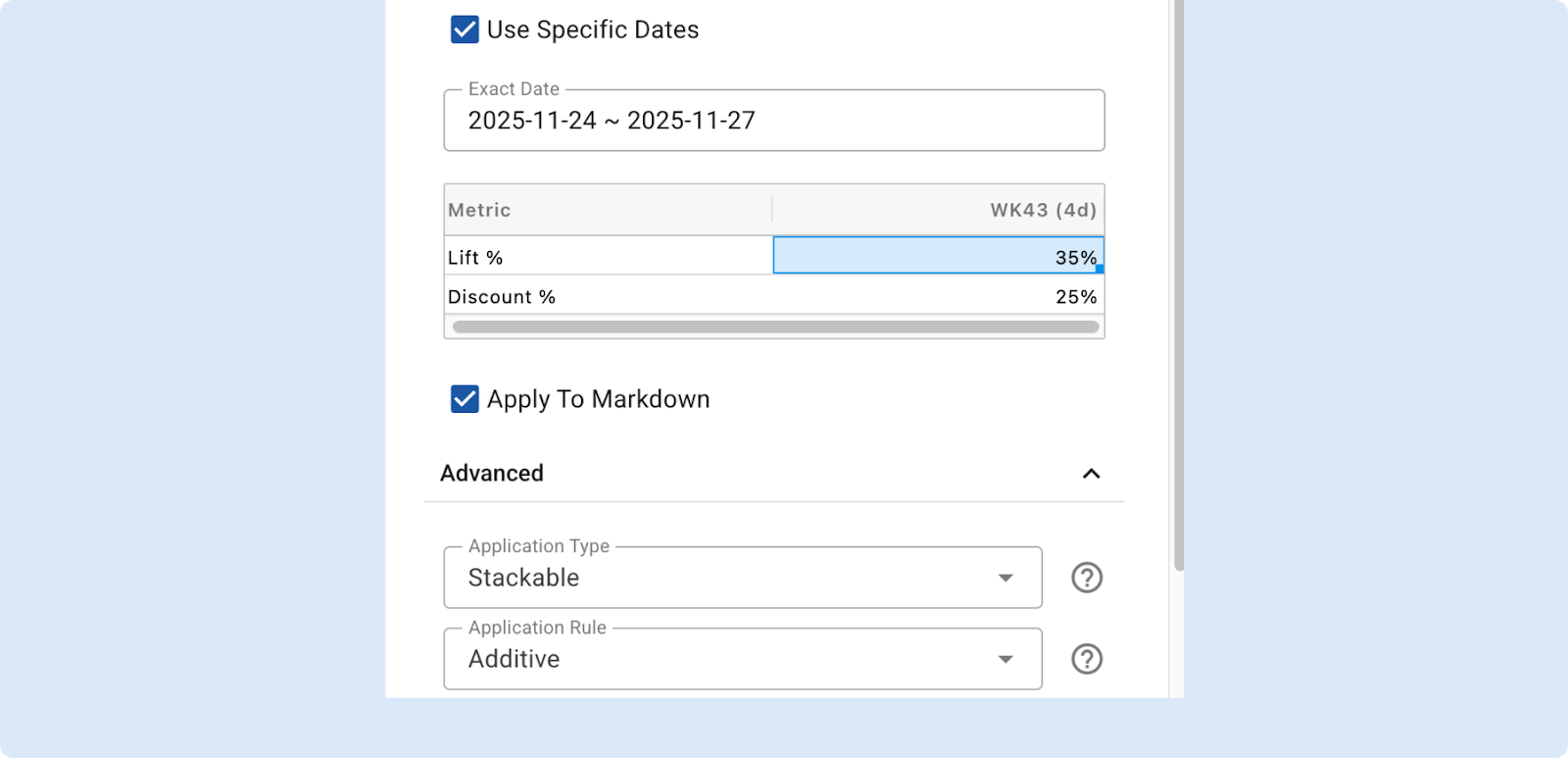
Previously, promotions could only be set at the weekly level. With this update, you can now choose “Use Specific Dates” to define promotions using exact start and end dates on the calendar.
What’s New
- When a promotion only partially covers a week, you’ll now see this reflected in the week label. For example: W43 (4d) → indicating that the promotion runs for 4 days in Week 43.
- Both Allocation and Assortment modules will automatically handle these partial weeks.
- The discount and lift values for the promotional causal will be proportionally applied to the corresponding week.
This enhancement provides more flexibility in defining promotions that don’t fit neatly into full-week periods — making your forecasting and planning even more accurate.
👉 Read more promotional causals
Allocation
Improved Row Status for Allocation Strategy
We’ve made several enhancements to make Allocation Strategy statuses clearer and more consistent:
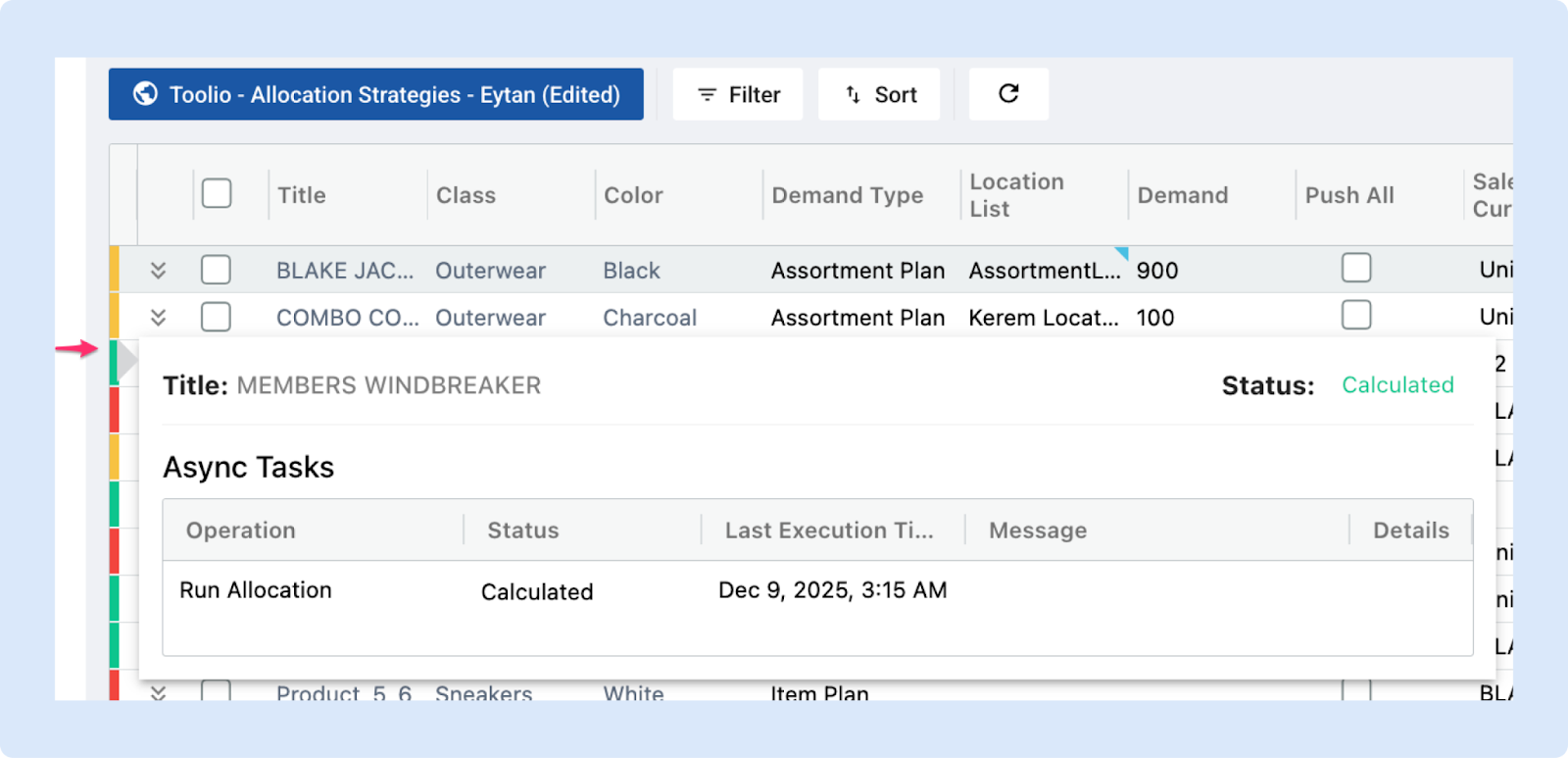
- Updated Row Status dialog to align with the behavior and formatting used in Assortment Plan.
- Color-coded status indicators now allow you to understand each allocation strategy’s state at a glance.
- Clickable Row Status provides detailed insights, including when the strategy was run, its current status, and any diagnostic messages.
These improvements make it faster and easier to monitor and troubleshoot your allocation workflows.
General Platform Updates
Size Range Importing
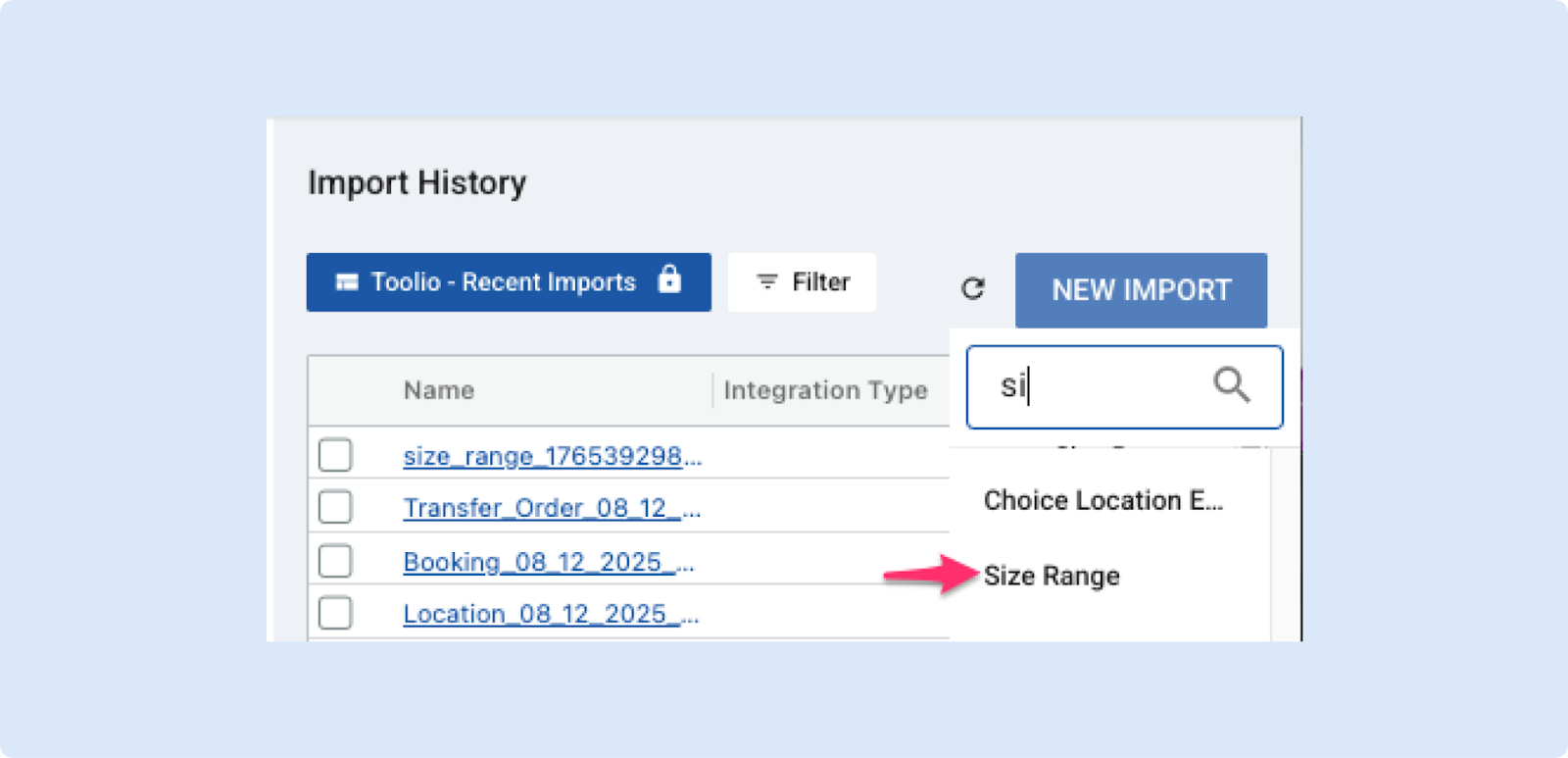
You can now import Size Ranges more easily using either a manual upload or an automated feed. We’ve also added clear Core Model requirements and a sample file to help you format your data correctly before importing. This should make setting up and maintaining Size Ranges faster and more reliable.
👉 Read more about size range importing
Improved Performance on Metric Selector
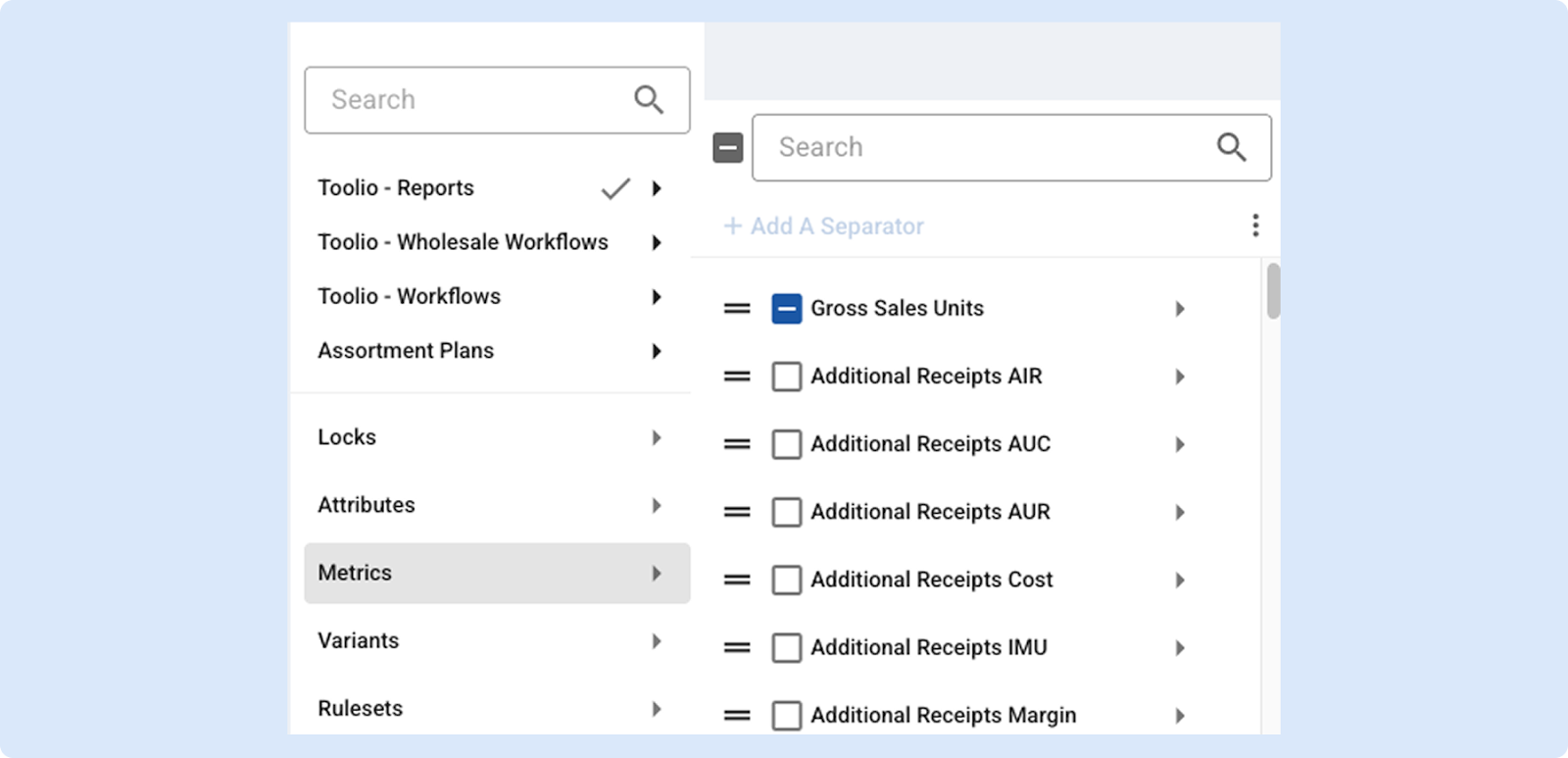
The metric selector has been revamped to deliver noticeably faster, more responsive interactions — updating a single metric now only affects that item instead of refreshing the entire list. Improvement will be especially noticeable on Windows users, where slowness was more noticeable.
Customers will see reduced UI lag on large metric lists and a smoother, snappier experience when browsing and updating metrics.
Presentation Profile Refresh — Flexible Layouts
We’ve refreshed the Presentation Profile to make product presentations easier to read and more flexible for merchandisers. The update lets you control how presentation columns are organized, improves readability, and preserves your preferred view so you can work faster and with less setup.
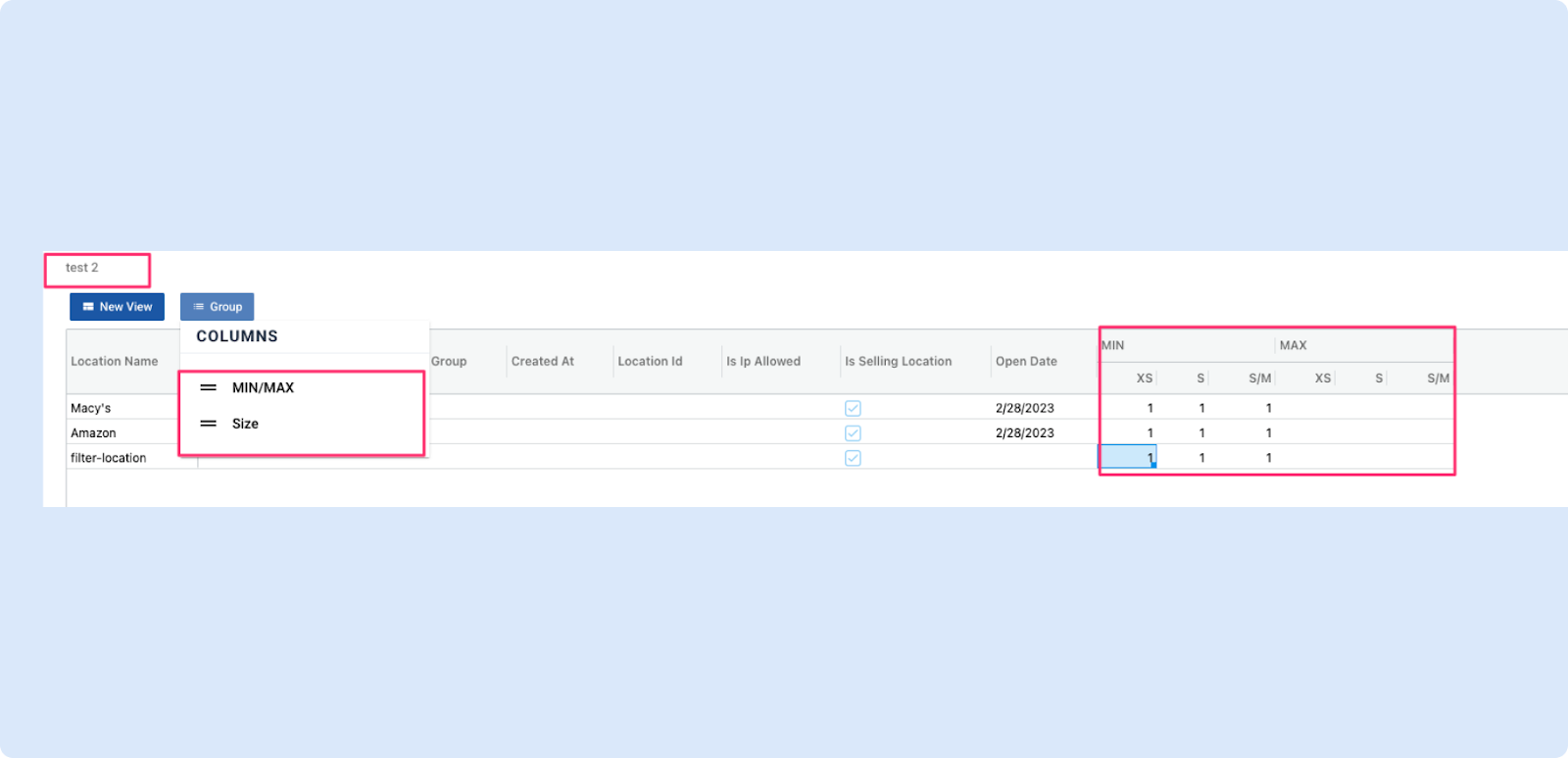
- Flexible layouts: Choose how presentation columns are grouped — either by Size (each size shows its Min/Max) or by Min/Max (top-level Min and Max with sizes beneath) to match your planning workflow.
- Saved preferences & better readability: Your layout choice is remembered across sessions, and columns now auto-adjust for a cleaner, easier-to-scan presentation; the profile title is also shown in the view.