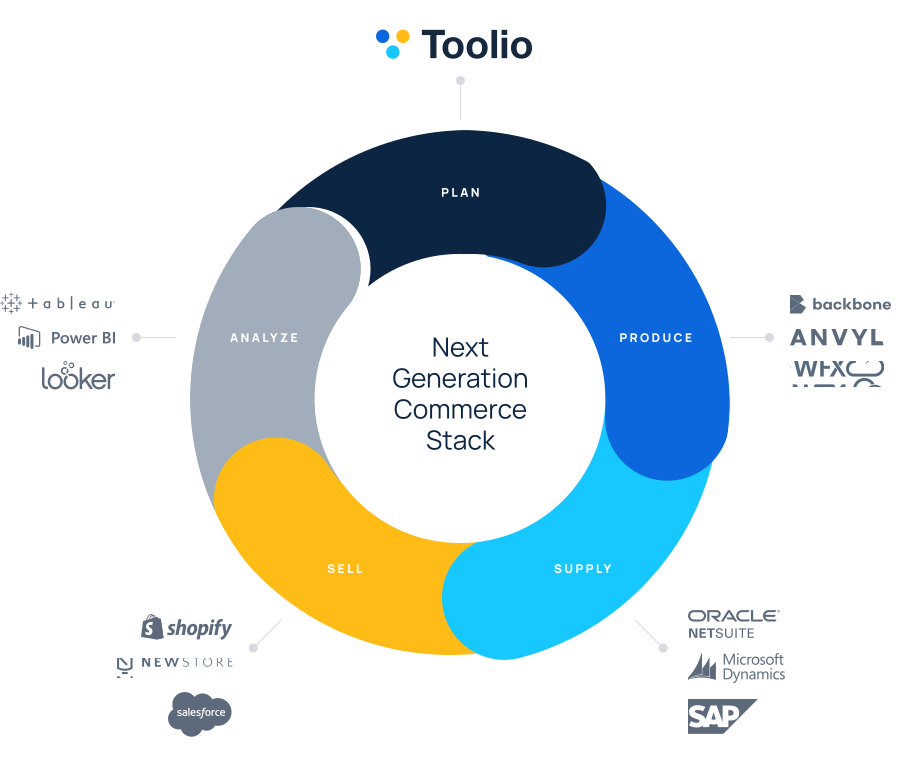
Whether you’re a growing brand, retailer, or a global enterprise, Toolio helps you scale confidently, reduce costs, and stay agile in a competitive landscape.






and 100s more


Toolio integrates with your BI tool or data warehouse to automatically pull in all your business information. We are continually adding support for BI tools and data warehouses.
Toolio integrates with your ERP or Inventory Management system to automatically pull in inventory information and automate purchase order generation. We are continually adding support for ERP & Inventory Management systems.
Toolio integrates with your ecommerce platform or POS system to automatically pull in sales and inventory information. We are continually adding support for Ecommerce.
Toolio integrates with your PLM or Supply Chain systems to automatically pull in production information and plan out purchase orders. We are continually adding support for PLM & Supply Chain.

See Toolio In Action
The best way to understand what Toolio could do for your team is to start a conversation.
Toolio connects natively to the data warehouses and BI tools Snowflake, Google BigQuery, Amazon Redshift and Looker. It also connects to the ERP and inventory systems NetSuite, Cin7, Fulfil and GoodDay, and to Shopify for ecommerce. For file-based data, Toolio connects to SFTP, Amazon S3, Microsoft Azure and Google Cloud Storage.
You can still automate data imports through scheduled email reports, automated CSV feeds, SFTP or cloud storage. Most platforms can send scheduled reports, so this works for nearly any system.
Yes. Toolio takes in sales, inventory, purchase orders, receipts and product data as separate feeds, and each feed can come from a different system. Sales might come from Shopify while purchase orders come from your ERP. If you already combine your data in Snowflake or BigQuery, you can send everything through that one connection.
Syncs typically run once a day, at a time you choose, after your source systems have finished updating. Data warehouse syncs pull only the rows that changed since the last run. You can also trigger a full re-sync from inside Toolio whenever you need one.
Yes. Inventory items, purchase orders and transfer orders created in Toolio can go directly into NetSuite. Plans can also be exported on a schedule to SFTP, S3, Google Cloud Storage or Azure, or downloaded as a CSV file.
You complete a configuration worksheet. It records your sign-on provider, which system supplies each feed, how often data should sync and which records Toolio should write back. Toolio’s implementation team then configures the connection, so you don’t need to build anything yourself.