

AI Connectors

Your Toolio Data

Whever You Work

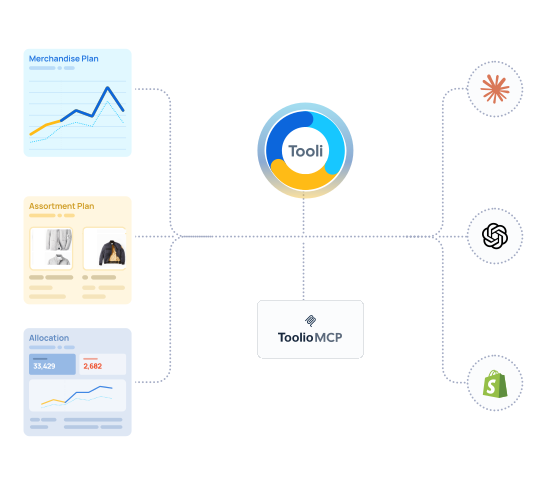
Tooli lives inside Toolio, The MCP Server connects Toolio to every AI tool you already use. Same Live Data. Different Places to work.
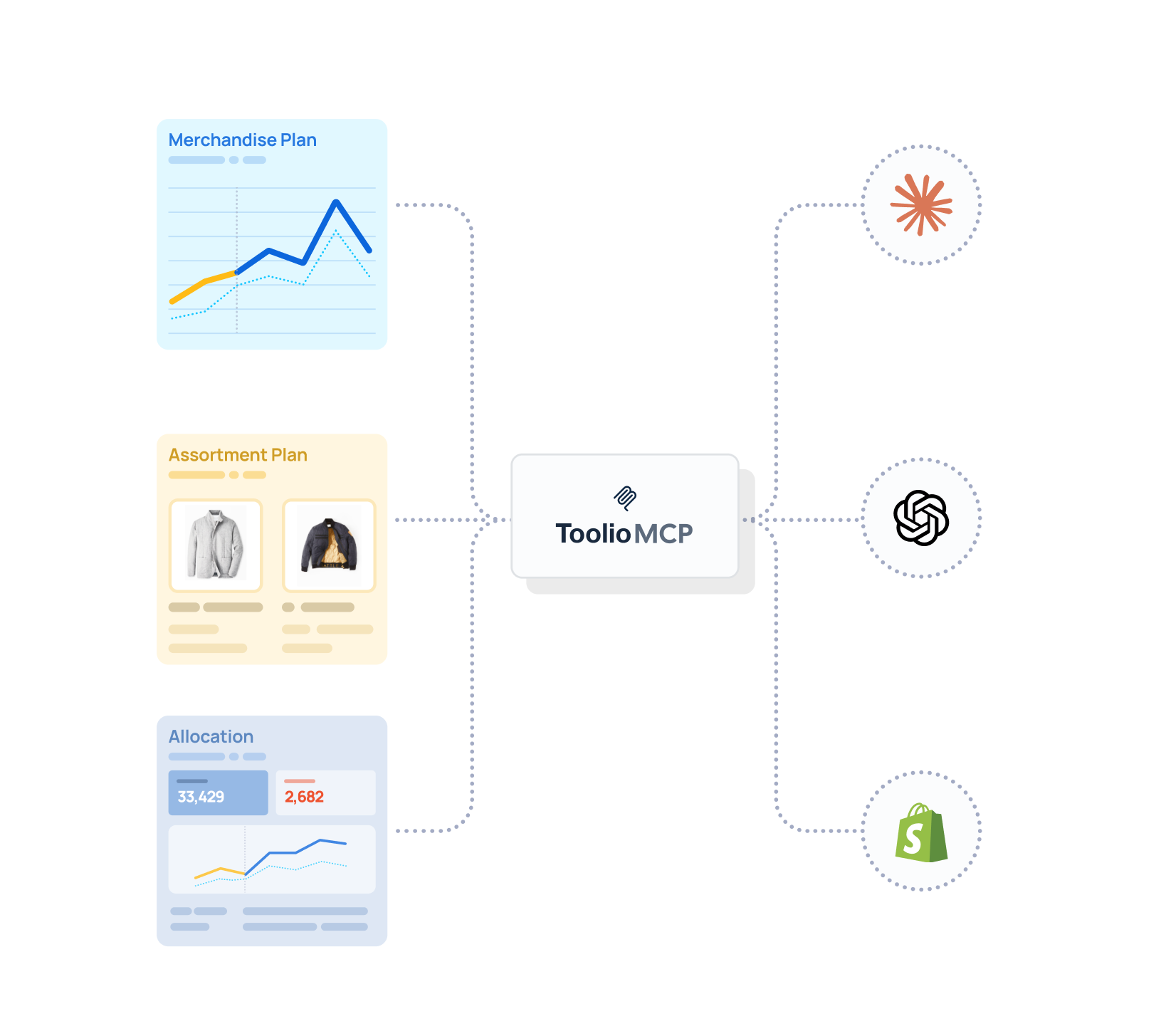
diagram showing how toolio connects via mcp and ai assistant

Two Ways to Put AI to Work

Both pull from the same plan your team runs everyday: your hierarchy, your fiscal calendar, your actuals. Ask a question and get an answer rooted in your data.

icon showing "check" for one version of truth

One version of the Truth

Every answer traces back to the same Toolio data model your planning and finance teams already work from.
circle check icon to show no hallucinations

No Exports, No Hallucinations

Neither tool works from a CSV, a screenshot, or a cached data copy. It reads your live plan, insights are accurate.
hand icon to show you're in control

You Stay in Control

Every recommendation is yours to accept, adjust or ignore. AI handles the calculation work. Your team makes the calls.
Inside Toolio

Tooli AI Assistant

Toolio is your AI Planning assistant integrated directly into the platform that allows you to generate insights, simulate outcomes and execute  on scenarios as you plan. Runs Skills or Agents that execute full planning workflows on your behalf and hand you decision ready to output.
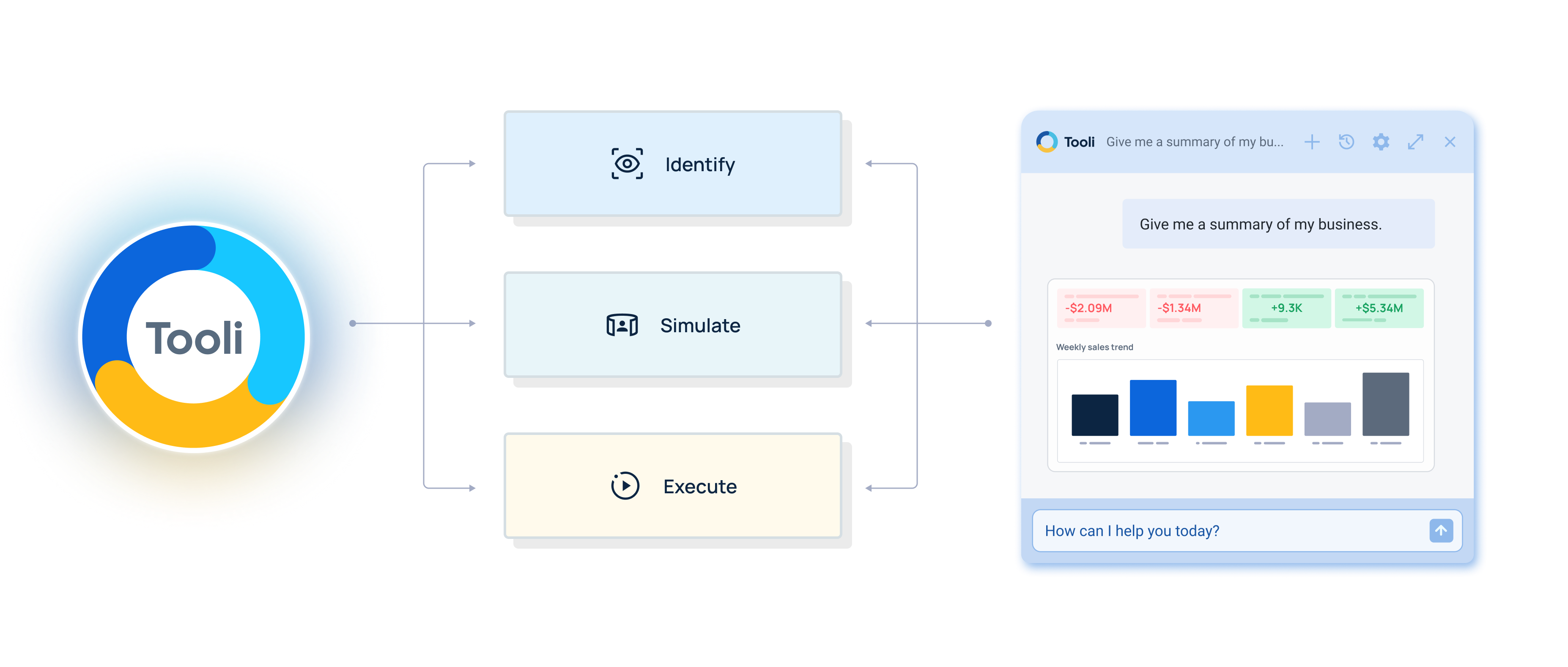
screenshot of how tooli works to provide insights
clock icon duplicated to show persistent context

Persistent Context

Tooli stays open alongside your plan all day. Pick up a thread from yesterday, share it with your team, keep going. No re-explaining what you were looking at.
shield avatar to show controlled access

Live Plan Access

Every answer pulls from the same plan your team is editing right now, not a snapshot, not an export. Ask about variance, exceptions or category performance and get an answer grounded in what’s actually true today.
head with gear inside icon to show institutional knowledge

Institutional knowledge, encoded

Your best planner’s methodology doesn’t have to live in their head. Write a Skill once, share it across the org and the way your team works becomes something anyone can run.
quill on paper icon to show write access

Read and Write

Tooli can surface insights and can act on them. Recommend allocation moves, flag what needs fixing, and execute the changes with your approval.
Everywhere Else You Work

Toolio MCP Server

Plans, actuals, scenarios, and the full Toolio ontology available in Claude, ChatGPT, Copilot and every MCP compatible  AI Platform through one secure real-time connection
Blend Toolio data with the rest of your stack, ask why margin
claude icon
Claude
microsoft co pilot icon
Copilot
chatgpt icon
ChatGPT
cursor icon
Cursor
ellipses to show "and more" connectors
and More
diagram to show how toolio connects to external sources with mcp
lens blur icon to show instant visualizations

In-depth analysis, on-demand visualization

Ask for variance to plan, spin up charts on the fly, or run exception searches across your assortment, and get clear, cited answers back in seconds instead of hours.
borg icon to show connectedness to full stack

Toolio data, in context with your full stack

Connect Toolio plans and actuals with ad spend, logistics, and store operations. Get answers to questions that used to require three tools, instantly.
target icon to show you're grounded in your real data

Accurate, explainable, grounded in your plan

Every answer traces back to the underlying Toolio view, computed against the data your teams already trust. One version of the truth, and it's always current.
robot icon to show truly agentic workflows

Machine-to-machine, truly agentic workflows

Agents connect straight to Toolio and to each other, running multi-step work end-to-end. No exporting, no hand-offs between tools. They surface the answer take action.
toolio ai secure access shield
Security & Governance

Secure access, centralized control

Zero new governance overhead. Auth runs through your existing SSO (Okta, Google, Microsoft Entra ID), every query honors the permissions already in place, and nothing trains third-party models. One place to manage AI access across your team.

Toolio Intelligence

The build-for-retail intelligence that understands how retail works - and the models that make it valuable.

Frequently Asked Questions

Do I need both Tooli and the MCP Server, or just one?

Most teams use both, but they don't have to. Tooli is the right starting point if your team does most of their work inside Toolio. The MCP Server makes more sense if you already have Claude, ChatGPT, or Copilot rolled out, or if you need to blend Toolio data with other systems. Your account team can help you figure out which to start with.

How do I know the AI isn’t making up numbers?

Every answer is computed from the live state of your Toolio plan — your hierarchy, your fiscal calendar, your actuals. Neither tool works from a cached export or a summarized version of your data. If the AI tells you Women's missed plan by 4 points last week, that's the same number your finance team would pull in Toolio. You can click through to the underlying view to verify it.

Does this replace my planning team?

No. Both tools handle the calculation and reporting work — pulling variance, writing a readout, flagging exceptions — so planners spend less time on mechanics and more time on the judgment calls that actually require their expertise. Every recommendation requires a human to approve it before anything executes.

Could someone edit or delete plan data through these tools?

The MCP Server is read-only. Tooli can execute certain actions, like allocation moves, but only with your explicit approval. Nothing runs autonomously without a human sign-off.

Is our data used to train AI models?

No. Your data is never used to train third-party AI models. Queries run against your data under your identity and stay within your tenant.

How long does it take to set up?

The MCP Server takes about 15 minutes — your workspace admin adds it as a connector in any MCP-compatible AI platform. Tooli is already built into your Toolio instance. If it's not turned on, your account team can enable it the same day.

Will my planners actually use this?

Adoption depends on whether the tool saves real time on work people already do. The Monday readout, the allocation review, the QBR — these are rituals every planning team runs. If a slash command produces the same output in 30 seconds that used to take two hours, people use it. And if your team's biggest time sink is something else, you can build a custom Skill for that instead.