






TL;DR — Toolio now ships a Model Context Protocol (MCP) server. Plug Claude, Cursor, or any MCP-compatible AI client into your live Toolio data and ask questions in plain English, grounded in your real plan, your real hierarchy, your real fiscal calendar. No exports. No SQL. No "the AI made up a number."
The Problem with AI in Retail Planning Today
Every retailer we talk to is experimenting with AI. And almost every experiment hits the same wall.
The model is smart. The data is somewhere else.
So planners end up exporting CSVs into ChatGPT, asking the AI to interpret a screenshot of an MFP, or worse — letting an AI agent guess at sell-through, invent a fiscal calendar, or redefine OTB on the fly. The output looks confident. It just isn't right.
AI without a system of record is improvisation. And no one wants to improvise an allocation.
What Changed
The Model Context Protocol (MCP) is an open standard for connecting AI assistants to the systems where your data actually lives. Anthropic introduced it. Cursor, Claude, and a growing list of clients support it.
Toolio now has its own MCP server.
Once it's enabled on your tenant, your team can connect Claude (or any MCP-compatible client) directly to Toolio and ask questions like:
"Give me a Monday morning recap on last week's performance vs. plan and LY. Call out the categories that drove the variance and where we're trending against the OTB."
"Which top-20 SKUs are most under-allocated heading into next week, and what transfers would you recommend? Flag any stores that are stocked-out on best sellers."
"Why did margin slip in Women's last week? Pull MFP markdown data alongside last week's promo calendar and paid spend and tell me what changed."
The AI doesn't pull from a static export or a half-remembered query. It reads from the same modules your team uses every day:
- Merchandise Plan — financials by department, category, class, location
- Assortment Plan — choice- and cluster-level metrics
- Item Plan — SKU-level performance
- Allocation — quantities and on-hand units by location
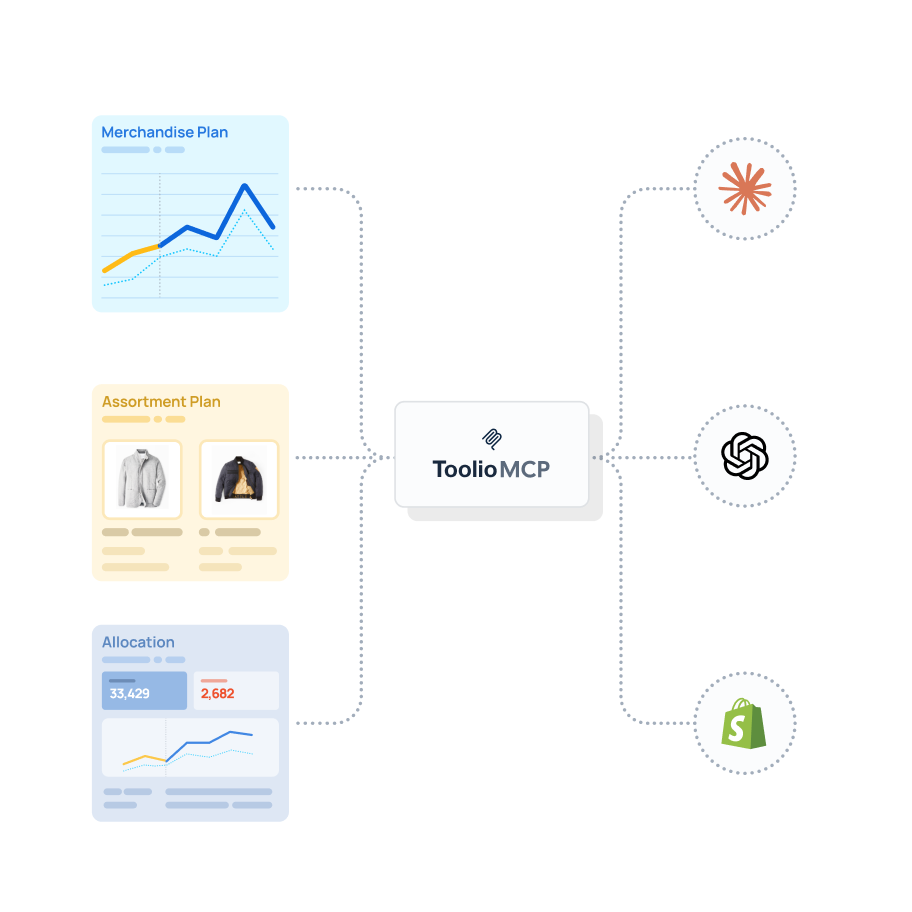
Why MCP is Different
Three things make AI through Toolio MCP different from AI on top of a generic warehouse:
It’s Accurate
Every answer uses the same metrics, hierarchy, and fiscal calendar your planning and finance teams already use in Toolio. The AI doesn't estimate, hallucinate, or invent output; it reads from the system of record.
It’s Explainable
Each result is traceable back to the underlying Toolio view. If the AI tells you Women's missed plan, you can click through to the exact slice that drove the answer.
It’s Grounded in Your Plan
Not a snapshot. Not yesterday's export. The live state of the same plan your team is editing right now.

How to Get Started with MCP
Toolio MCP is available today for customers on plans that include MCP access.
- Have your account team enable the MCP server for your tenant
- In Claude: Customize → Connectors → Add a custom connector with the URL we provide
- Toggle it on per conversation and start asking
It works with any client that supports the remote MCP specification: Claude, Cursor, and others. The server is read-only today, so you can roll it out broadly without worrying about anyone editing the plan from a chat window.
Early pilot reaction has been the strongest we've seen on a release this year. Planners are getting their Monday-morning recap in 30 seconds instead of two hours. Allocators are catching stockout risk a week earlier. Finance is asking cross-module questions without waiting on a data team.


