









Training
New Academy Training: Allocation Redistribution
A new Toolio Academy course covers the Allocation Redistribution engine end to end — calculating excess, shortfall, and potential lost sales, matching stores, setting up redistribution groups, and exporting recommendations as transfer orders. It’s a solid refresher for anyone new to redistribution or preparing for their next run.
👉 Head on over to Toolio Academy to learn more!
New Academy Course: Size Plan & Size Cluster in New Assortment Plan
A new Toolio Academy course walks through the Size Cluster and Size Plan tabs in the New AP Offering Panel, covering how size curves connect the two, step-by-step configuration, and common gotchas. It’s a useful primer for planners looking to sharpen how they configure and monitor size distribution.
👉 Head to the Toolio Academy to check it out.
Assortment Planning
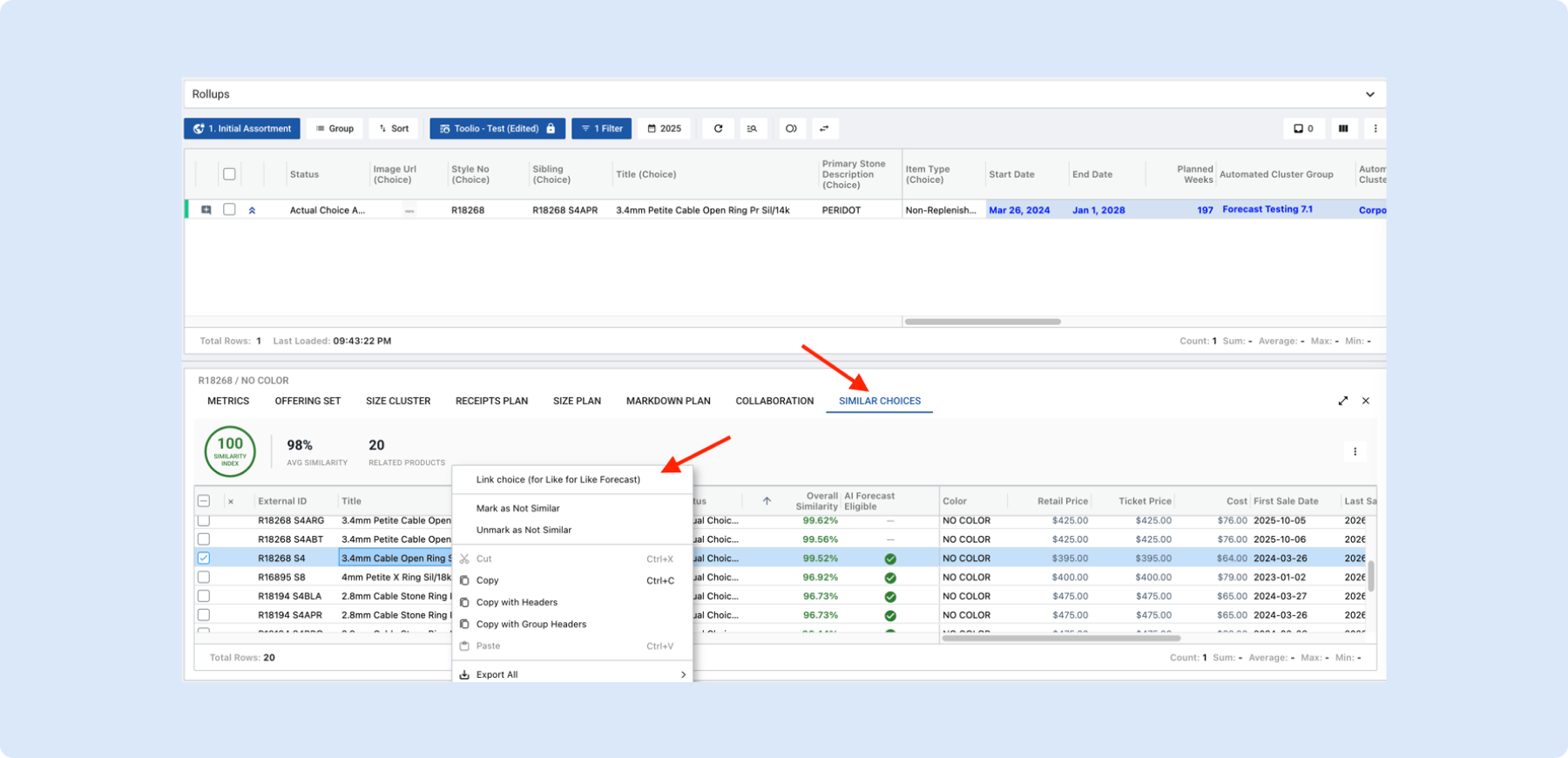
Like for Like Forecast
Toolio can now generate an AI forecast for a new, replacement, or low-history choice by linking it to a similar choice and borrowing that choice’s sales pattern as the forecasting input. This gives planners a realistic starting forecast for products that have no sales history of their own, and the link can be changed or removed at any time as the comparison evolves.
👉 Learn more in the AI Forecast help article
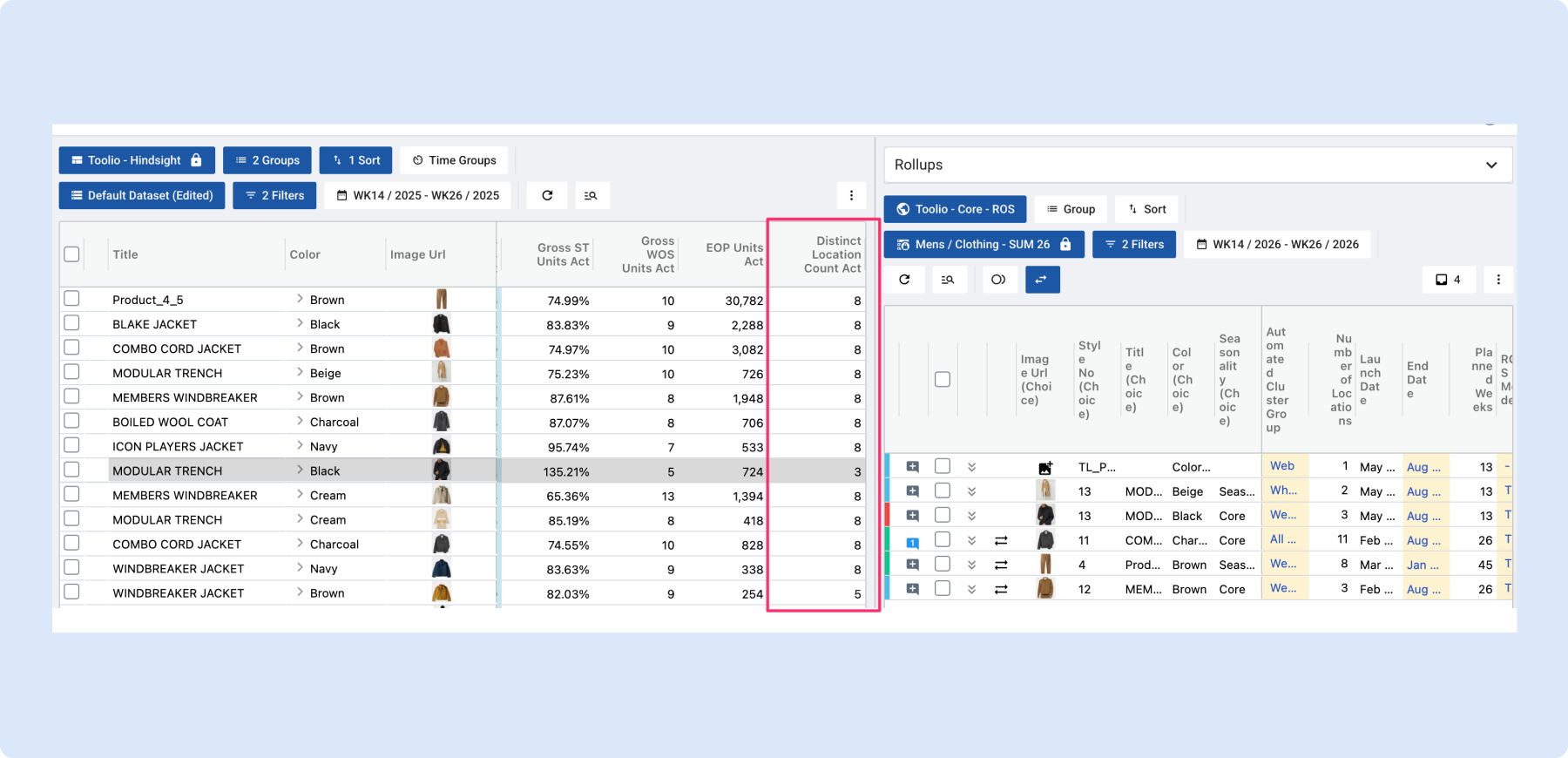
📍 Distinct Location Count metric on Assortment Plan
A new Distinct Location Count metric shows how many locations sell a given choice in a given week, on both a Plan and Actual basis. It can be added to Metrics tabs and reporting views to help teams compare planned versus actual distribution breadth and catch under- or over-distributed choices.
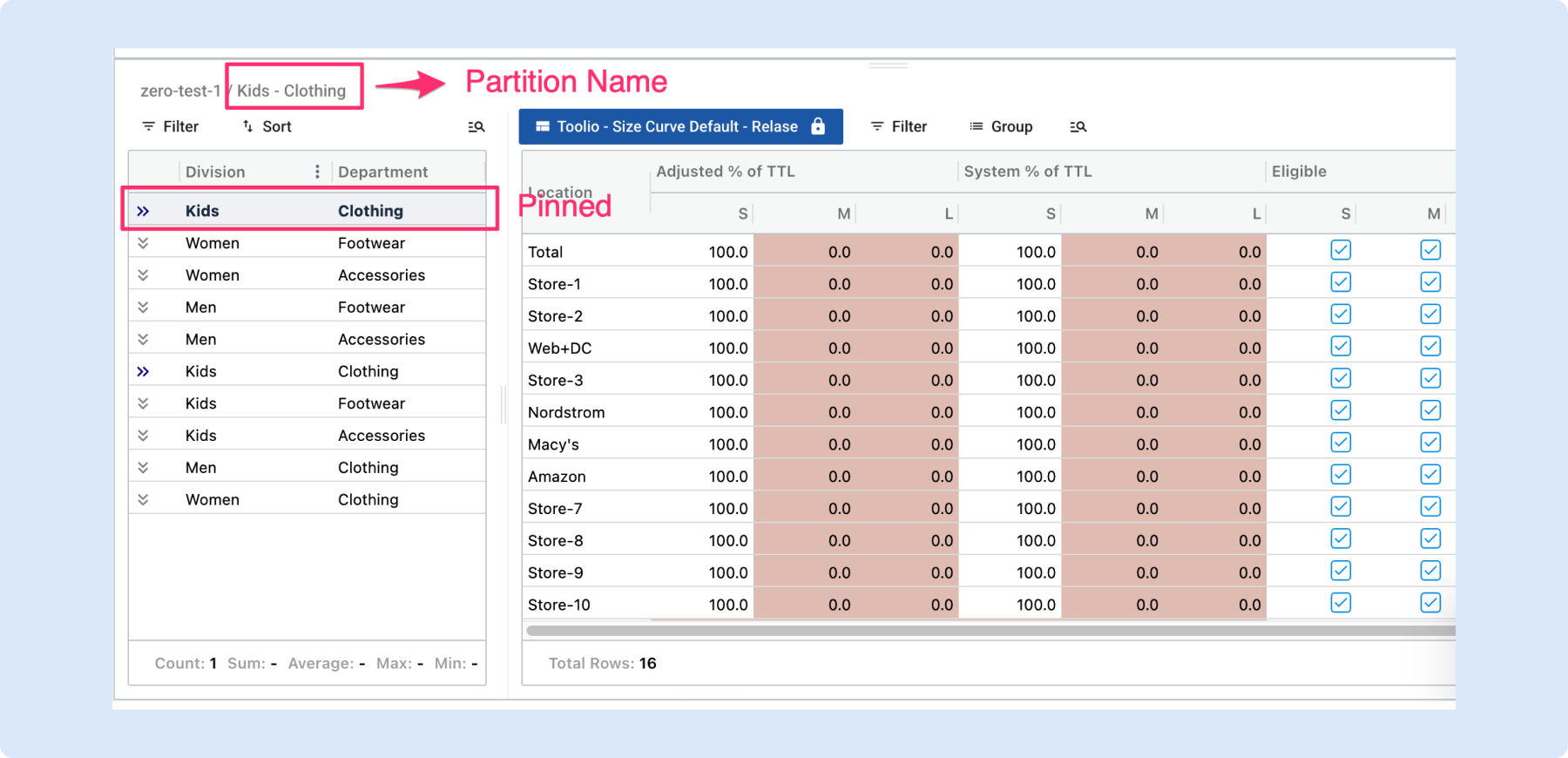
📌 Pin and share the partition you’re working on
Size, Sales, and Location Curve panels now pin the selected partition to the top of the list and display it in the panel title, so it’s always clear which values are on screen. The selection is also saved to the page link, making it easy to bookmark or share the exact partition with a teammate.
Jump straight to the right size curve partition
Opening a size curve from the Assortment Plan or Allocation Plan now lands directly on the partition matching the clicked choice, instead of defaulting to the first one. Each partition also gets its own shareable link, so planners can send teammates a URL that opens the exact view they’re looking at.
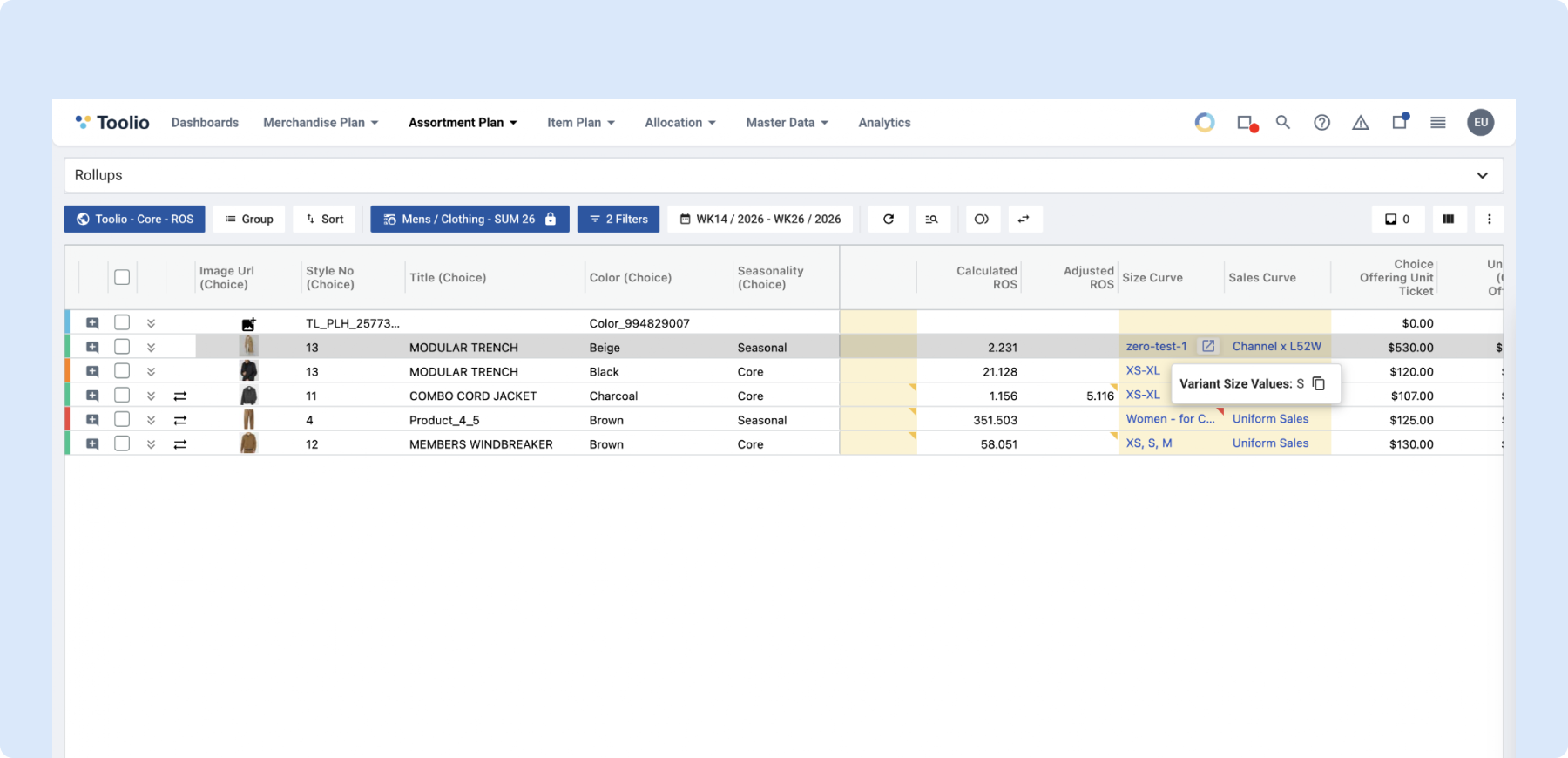
📏 See a choice’s actual sizes right on the Assortment Plan grid
Hovering any cell in the Size Curve column now shows a choice’s actual variant sizes directly on the grid, with a one-click copy option. The same size detail also now appears in the Validations panel even when size selection passes, making it easier to spot-check size coverage without leaving the grid.
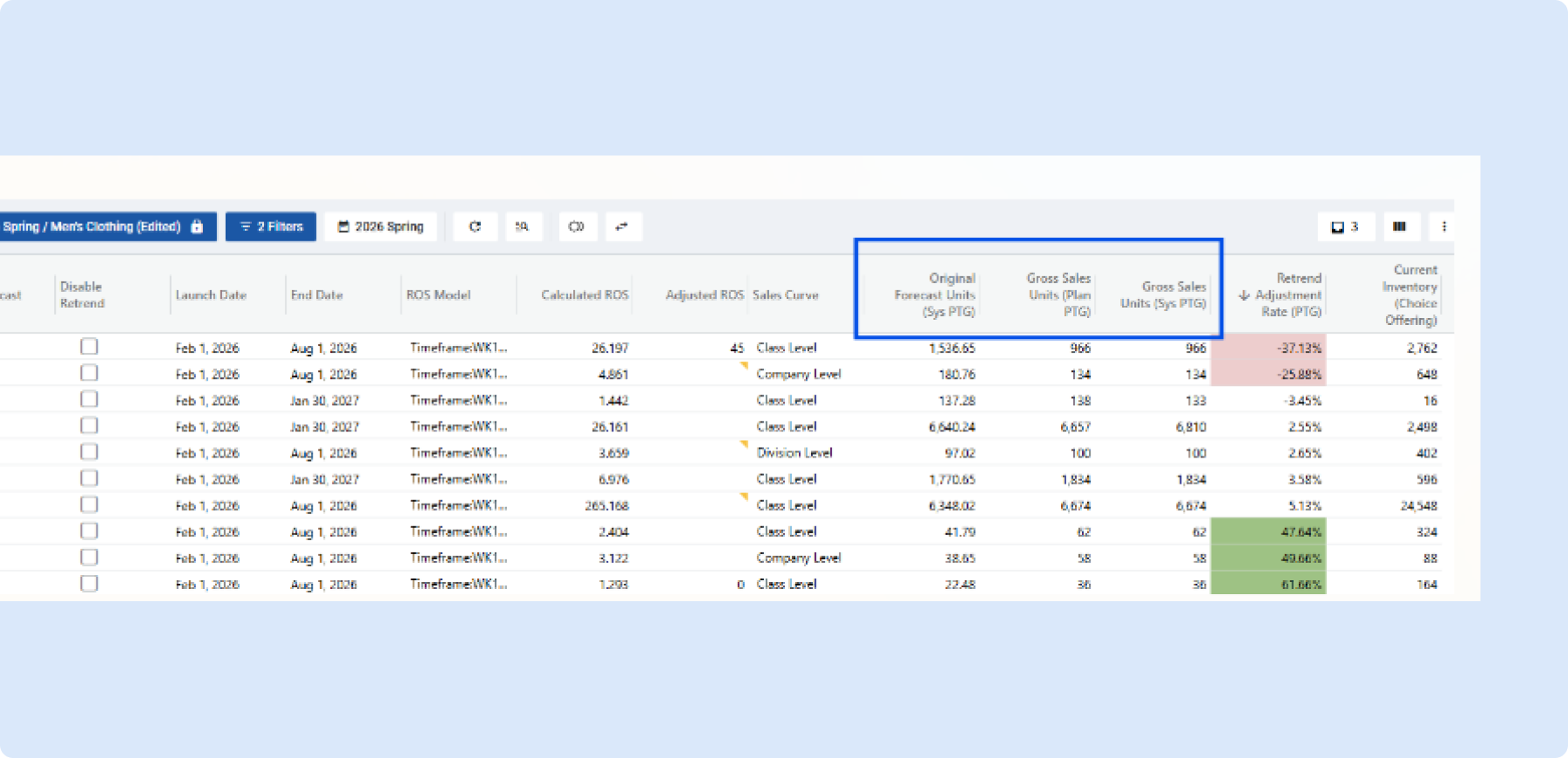
PTG Retrentrend OOTB View
A new Period-to-Go version of the Retrend view isolates how much of a plan is still ahead, rather than comparing full lifecycle totals. This gives planners a clearer, forward-looking read on how their remaining plan has shifted from their original inputs, without noise from weeks that have already played out.
👉 Watch a quick video walk-through
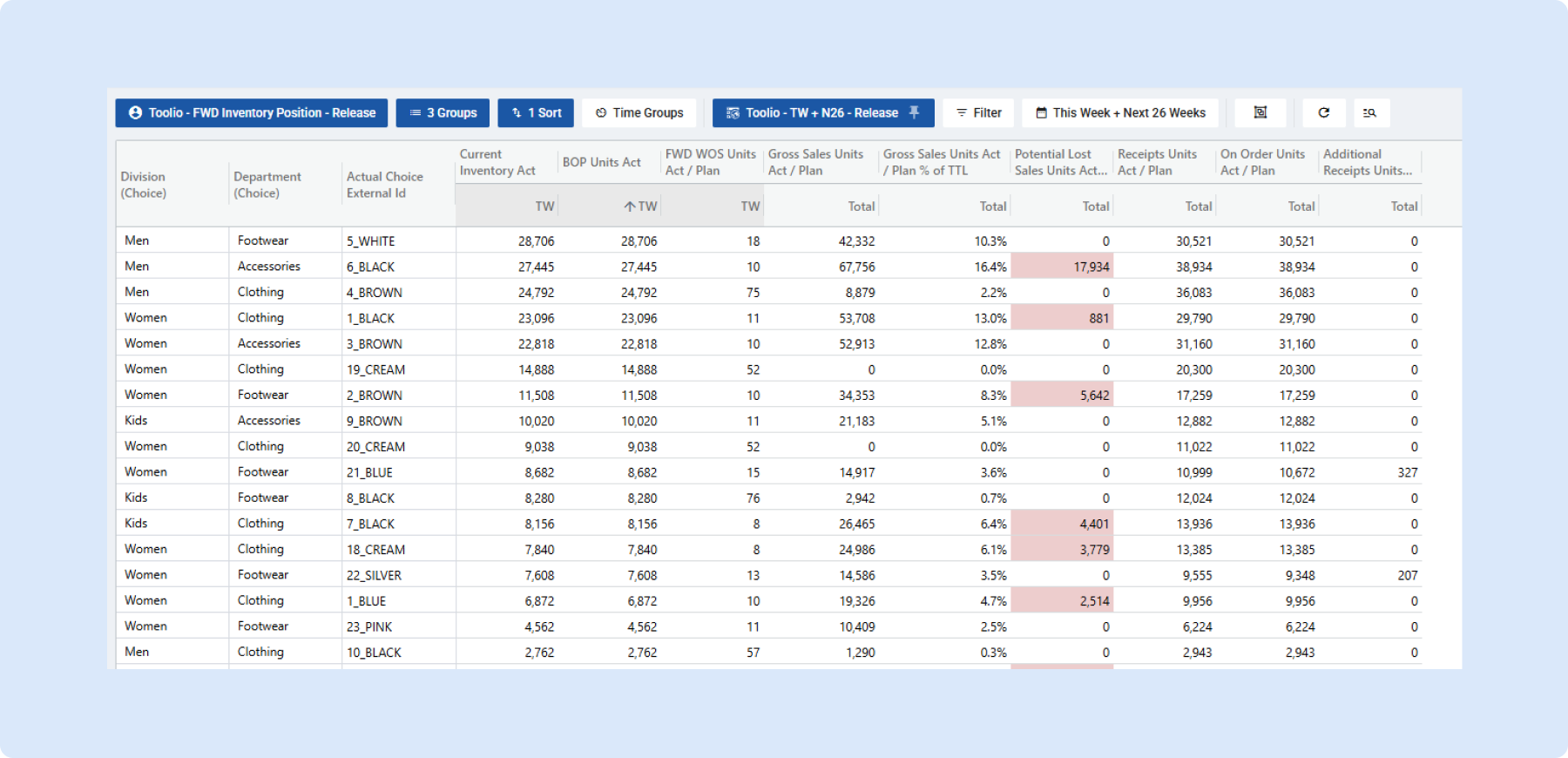
OOTB AP Day in the Life Views
Two new out-of-the-box Assortment Plan views help planners answer common in-season questions without building custom reports, starting with a Forward Inventory Position view covering BOP inventory, forward weeks of supply, receipt plans, and potential lost sales. The release also includes an enhancement to the Forward Weeks of Supply calculation itself.
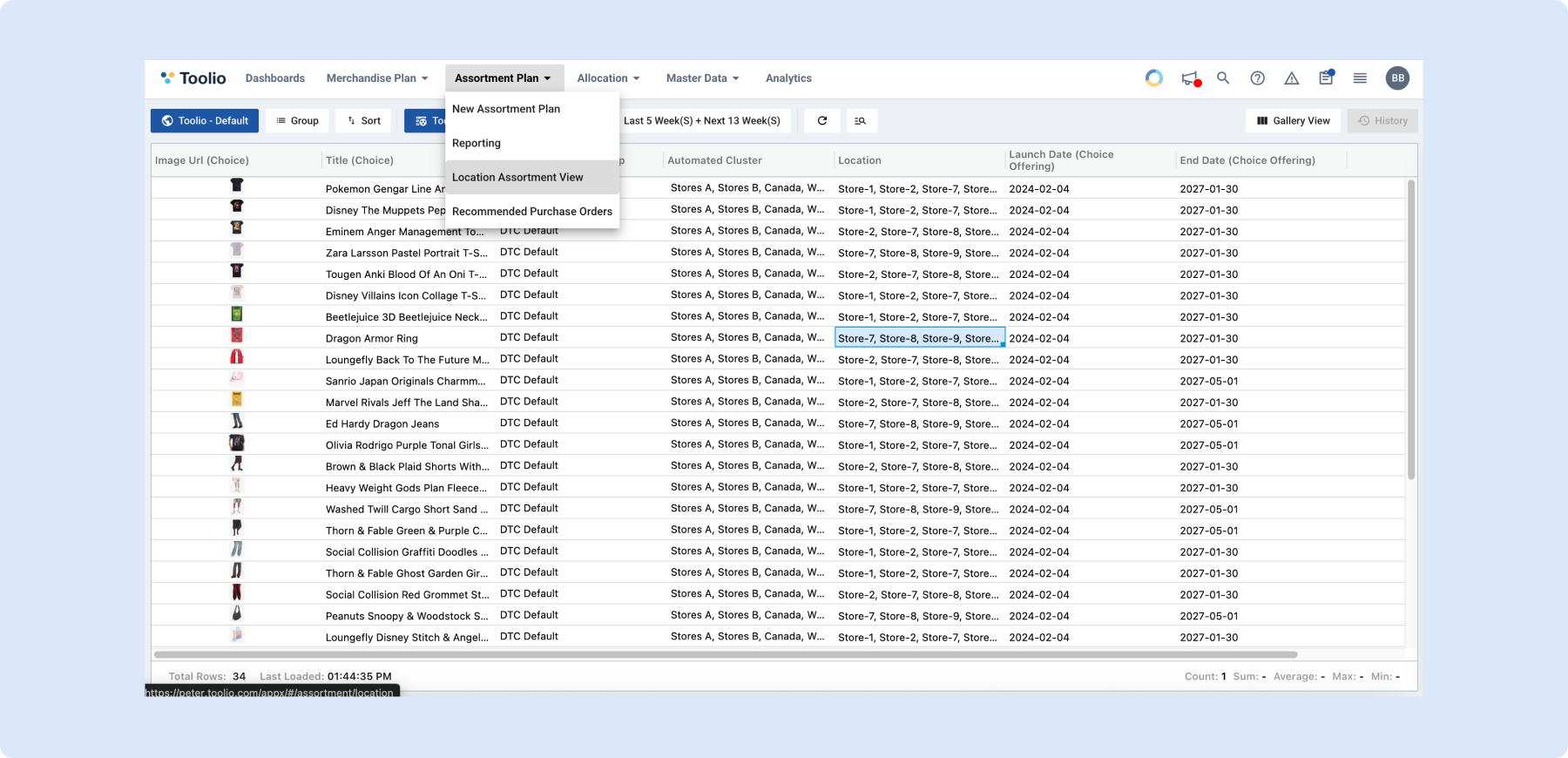
📍 Location Assortment View
A new Location Assortment view projects cluster-level assortment data down to individual stores and location groups, so merchants can see exactly which choices are present at a given store or market. Users can filter and group by location attributes, switch to Gallery View for a visual store-level layout, and manage exclusions directly from the grid.
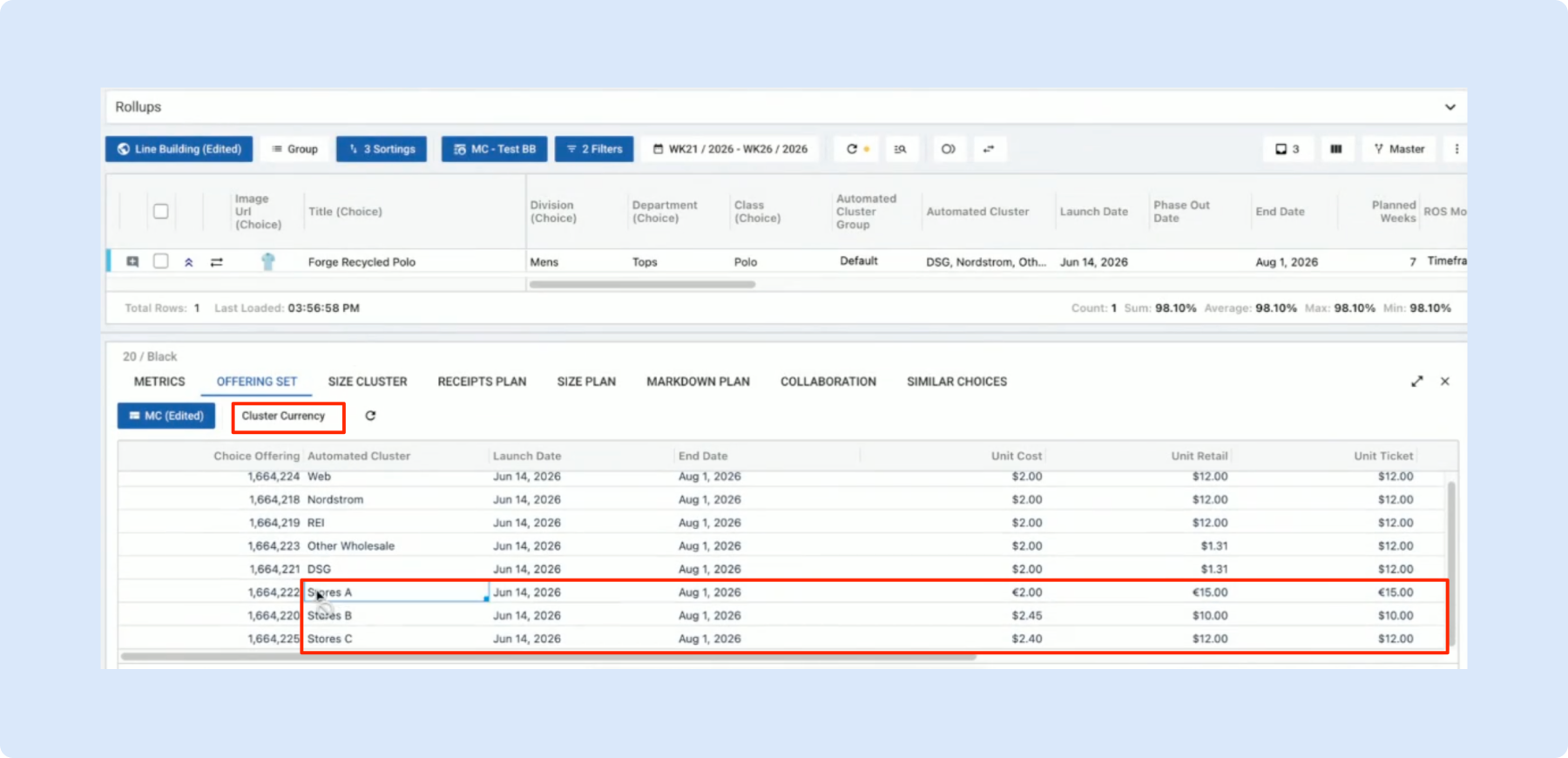
Multi-Currency Planning in Assortment Plan
Teams can now plan unit costs, retail prices, and ticket values in local currencies directly within Assortment Plan, bringing Merchandise Plan’s multi-currency capability down to the choice level. Currency can be toggled per cluster, exchange-rate impact is tracked in Metrics, and rolled-up reporting reflects the conversions automatically.
👉 Read more on multi-currency planning
Promo Impact for Promotional Causals
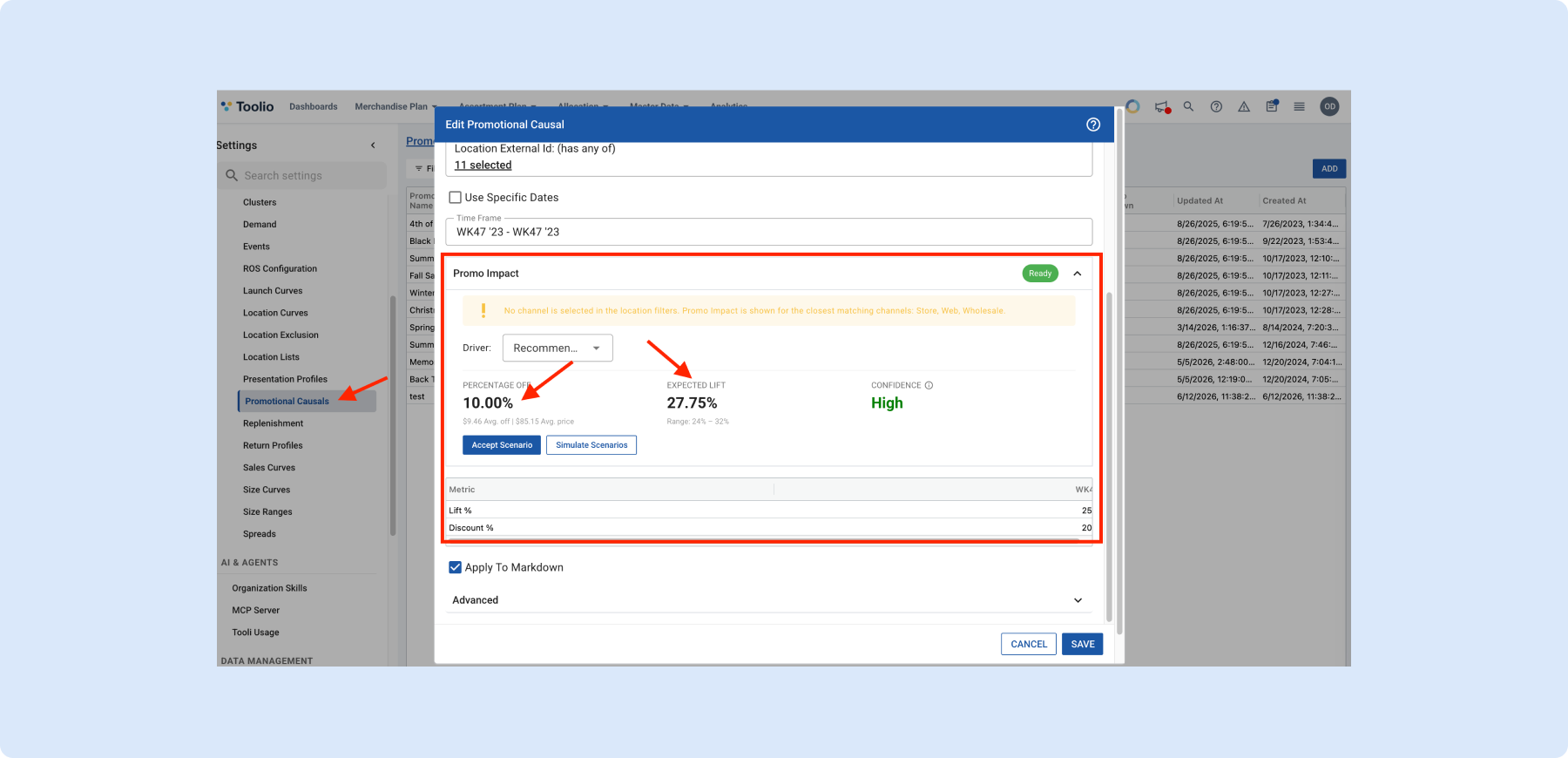
When building a Promotional Causal, Toolio now recommends a discount and expected lift based on historical promotional performance, and lets planners simulate different discount or target-lift scenarios before committing. It’s powered by the Price Elasticity model, taking the guesswork out of comparing promotion strategies.
Allocation
🎛️ Allocation Strategies Summary Widgets
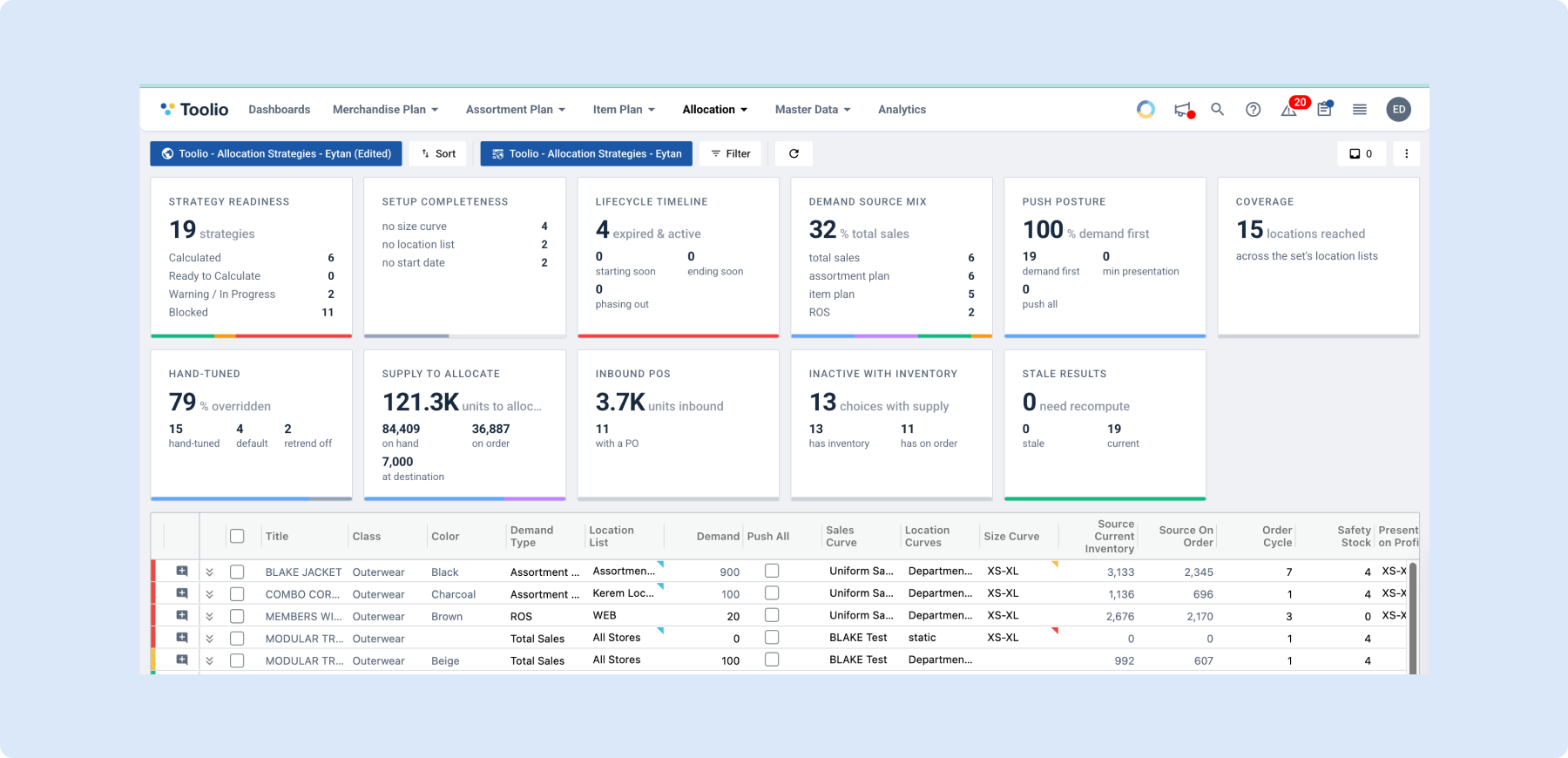
New summary widgets above the Allocation Strategies grid surface strategy readiness, setup gaps, timing risk, and available supply at a glance, before running a calculation. Widgets are added from the page’s kebab menu, giving planners a quick health check across all their strategies instead of scanning individual rows.
👉 Read more on summary widgets
📬 Scheduled Report Deliveries in Allocation
Allocation Plan and Allocation Strategies pages now support scheduled, recurring report deliveries by email, plus on-demand PDF export of Allocation Strategies. This removes the need to manually pull and share the same reports on a regular cadence.
📥 Presentation Profile CSV Import
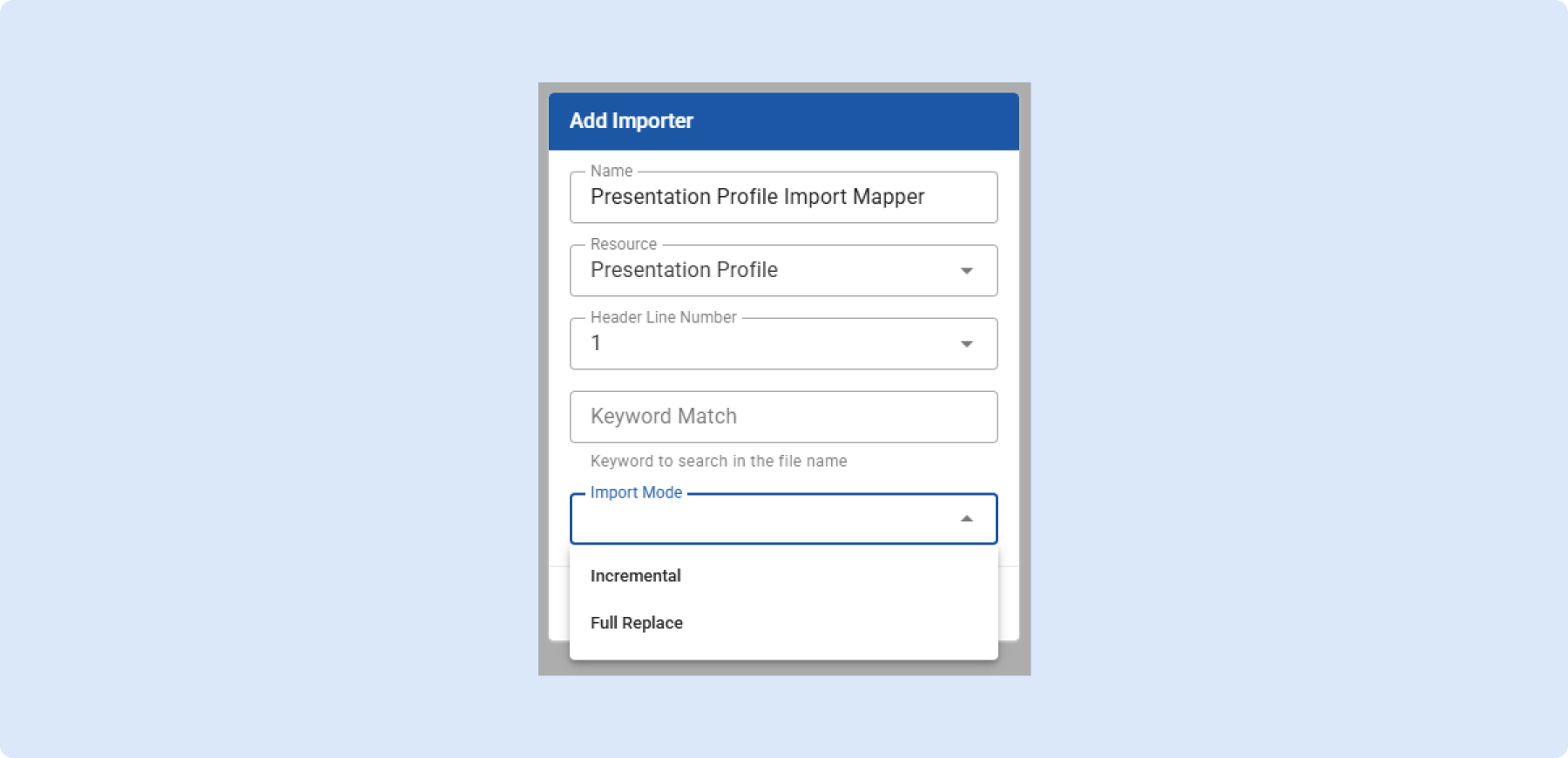
Presentation profiles can now be imported in bulk via CSV, with a choice of Incremental updates or a Full Replace of a profile’s contents. Invalid rows are flagged with a reason and skipped, and duplicate rows are automatically collapsed, making large-scale profile setup far faster than configuring each one by hand.
🎯 Multiple allocation strategies on the same product
Teams can now run multiple allocation strategies on the same product, each with its own logic for a different set of stores or time periods, drawing from shared inventory. A one-click “Create Related Strategy” option inherits most settings, and a priority attribute decides which strategy gets shared warehouse inventory first when strategies compete.
👉 Read more on running multiple allocation strategies
🧮 Group & aggregate the Recommended Transfer Orders grid
The Recommended Transfer Orders grid now supports grouping by any column with configurable, server-side aggregation (sum, average, min, max, count), so large sets stay fast. This lets teams review and validate recommended transfers by location, category, or size at a glance, then drill into detail only where needed.
👉 Read more on group recommended transfer orders
General Platform Updates
⚙️ See and assign Rulesets from the View Permissions screen
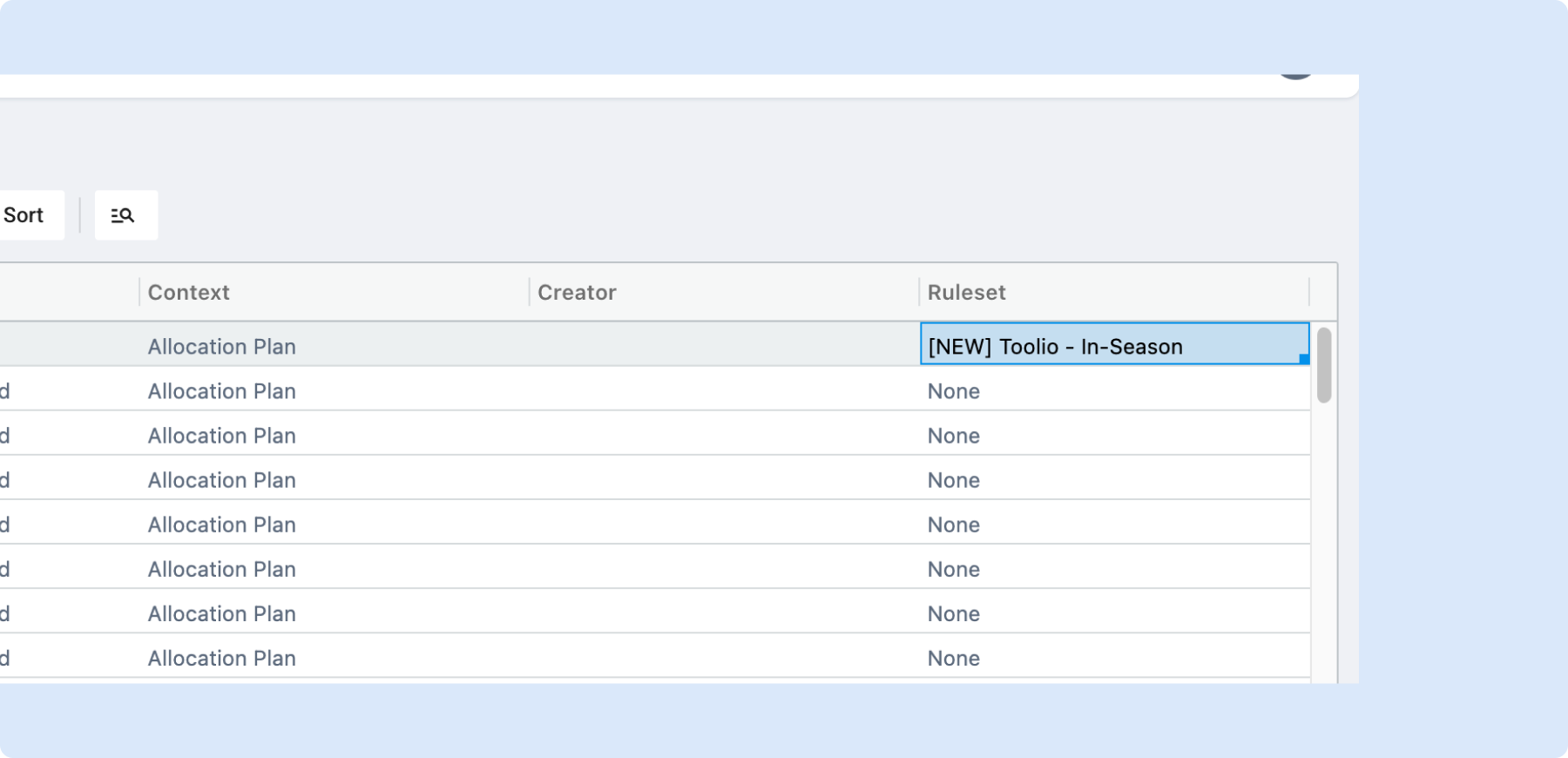
A new Ruleset column on the View Permissions screen shows which metric rule set each view uses, and admins can now assign or change it inline, including via copy/paste or drag-and-drop across rows. This lets teams manage and audit rule set assignments in bulk instead of opening each view individually.
👉 Read more on public and private views
Need Help? We're Here for You!
Our support team is always ready to assist you. If you have any questions about these updates or need help getting started with new features, don’t hesitate to reach out!
Is there a feature you think would be a great addition? Let us know here!


