









Introducing the Toolio Overlay: Your Planning Data on Your Own Storefront
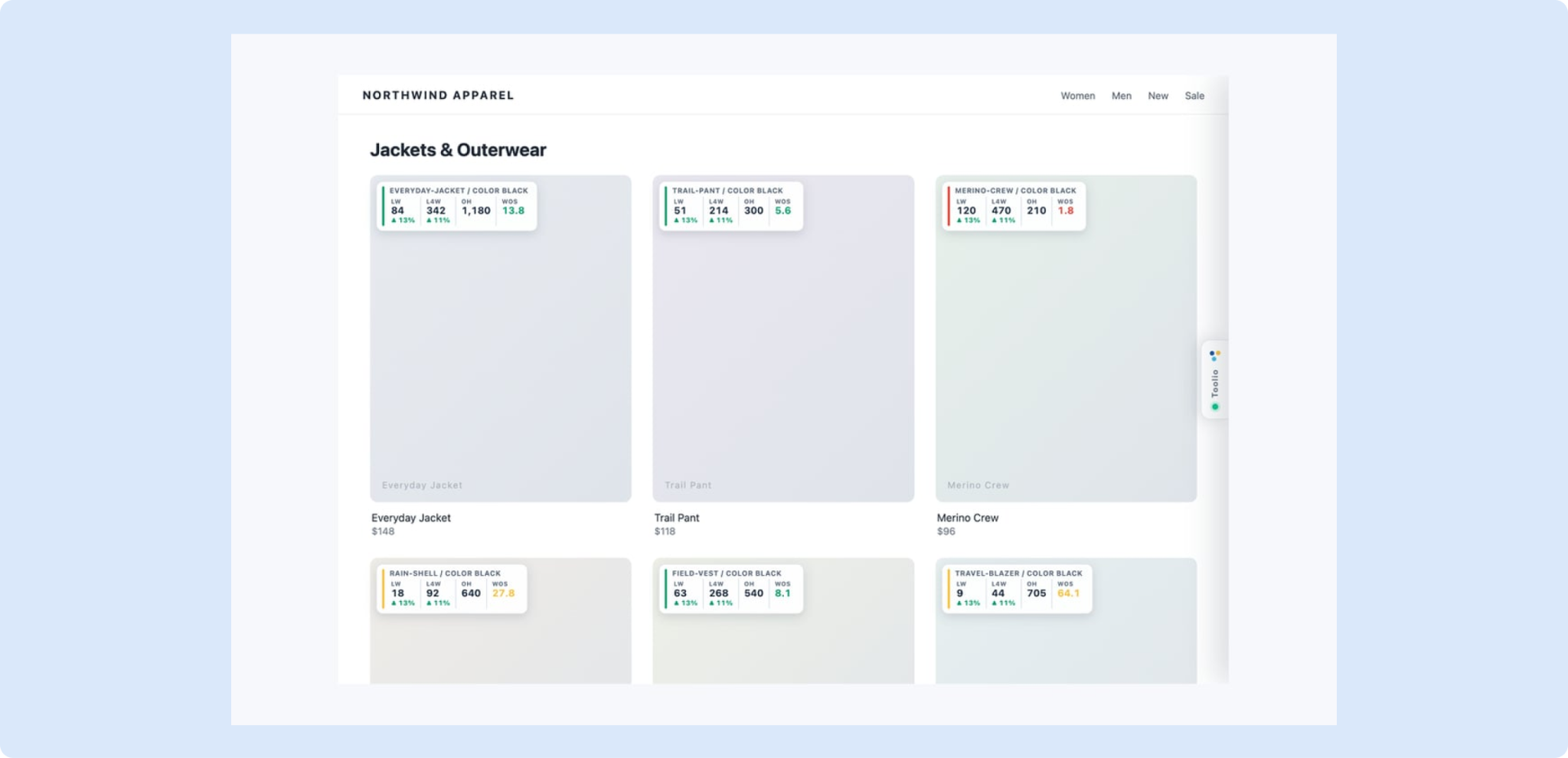
The Toolio Overlay is a Chrome extension that shows live Toolio numbers, such as sales, inventory and weeks of supply, on your own website’s product pages and collection grids. It's now available to all Shopify storefronts.
More about the Toolio Overlay:
- Setup is quick: install it from the Chrome Web Store and sign in with your Toolio account. The overlay is visible only to you, and it never changes what shoppers see.
- If you'd like the overlay on a non-Shopify site, reach out to your Customer Success Manager and we'll help you set it up.
To get started, read Getting Started with the Toolio Overlay and Using the Toolio Overlay. If your IT team wants to review it first, send them Toolio Overlay Security and Privacy.
Tooli Updates
✏️ Edit Your Merchandise Plan with Tooli
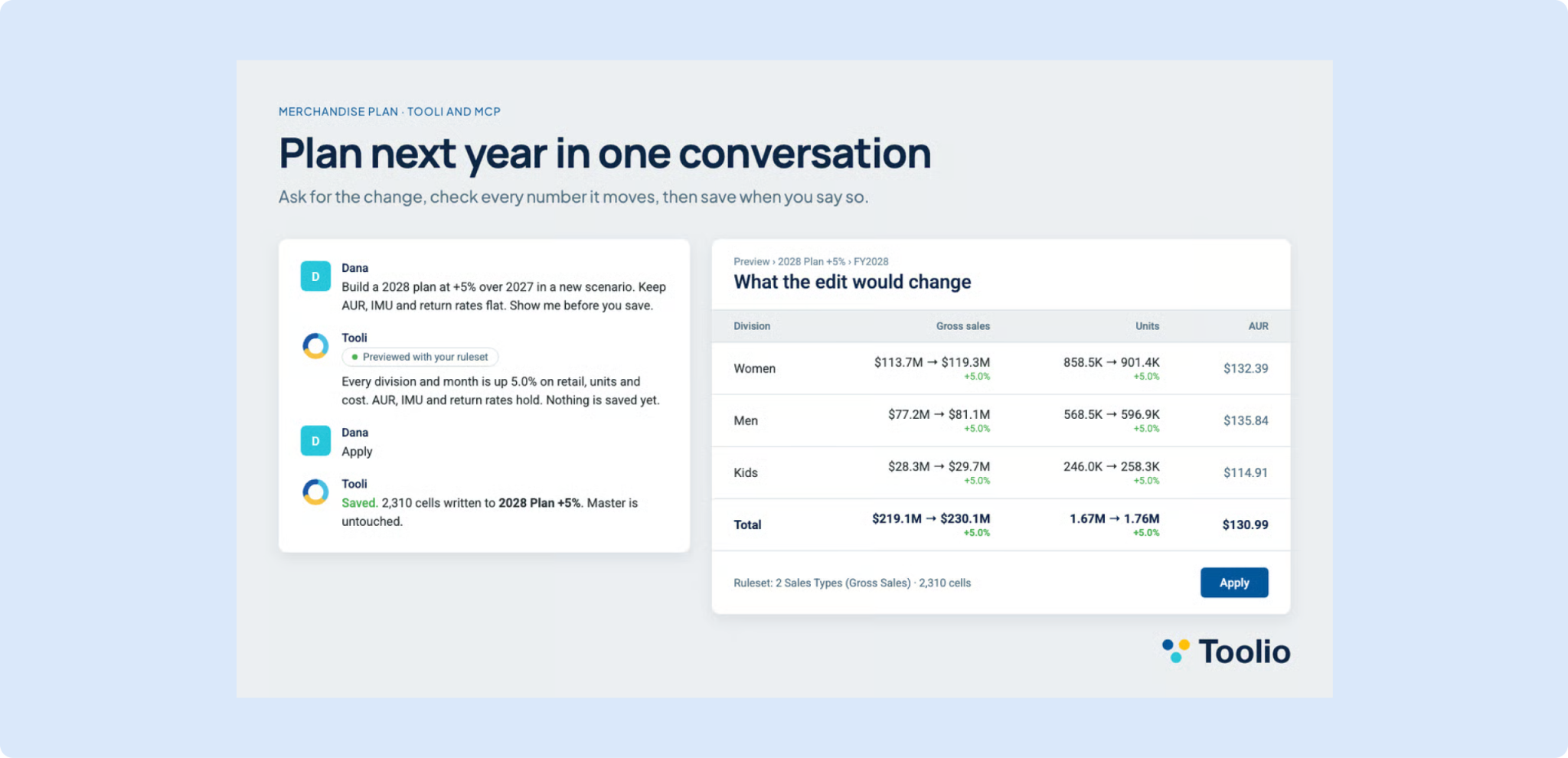
Tooli can now edit your Merchandise Plan, not just read it. Ask for a change in plain language, review every number it would move, and save only when you approve. Edits run through the same rulesets as the grid, so plan logic stays consistent.
💬 Tooli in Slack
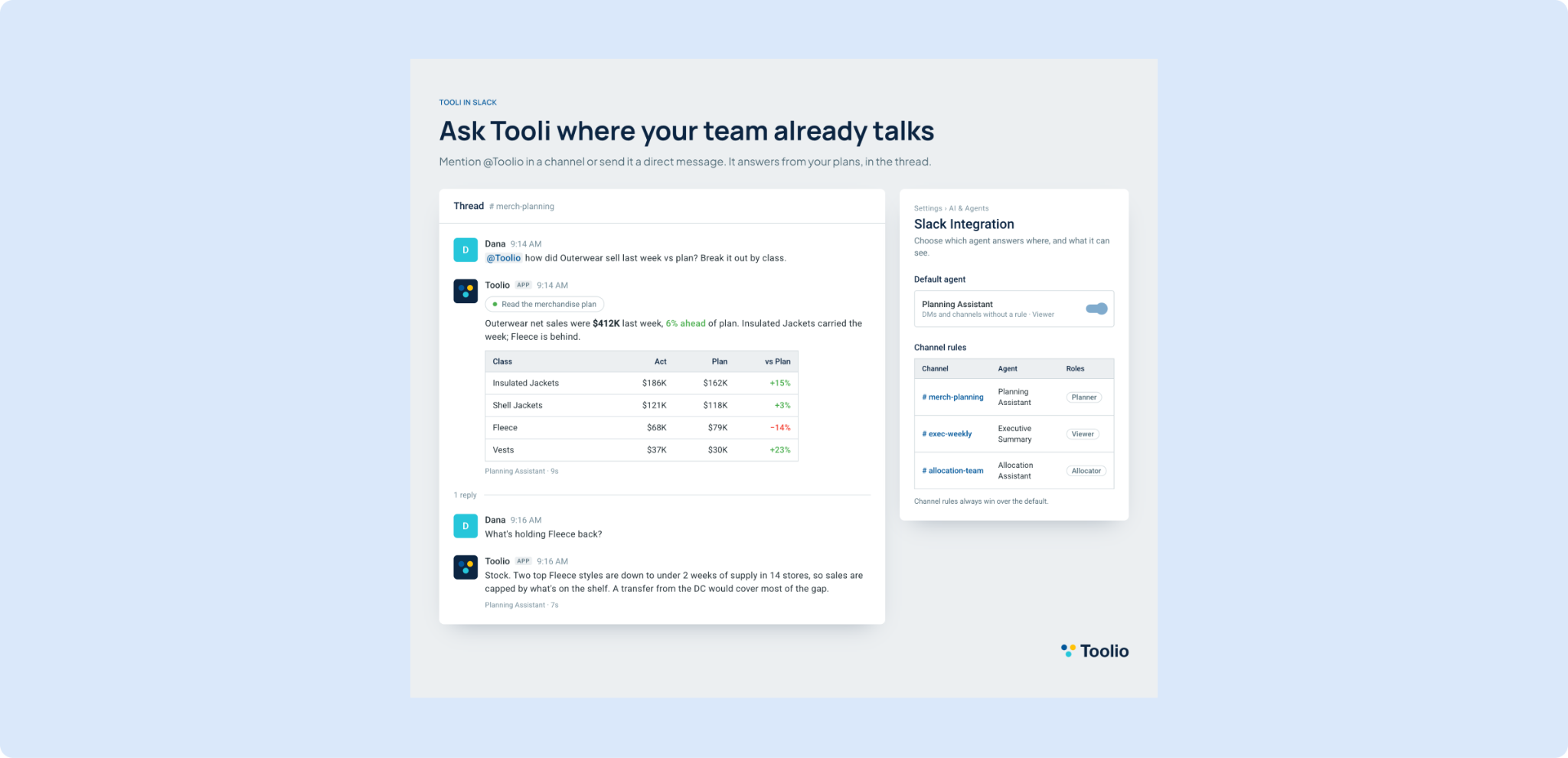
You can now ask Tooli questions in Slack by mentioning @Toolio in a channel or sending it a direct message. It answers from your plans in the same thread, and you can reply to keep the conversation going.
👉 Read more how to use Toolio agents in Slack
🖼️ Product Images in Tooli
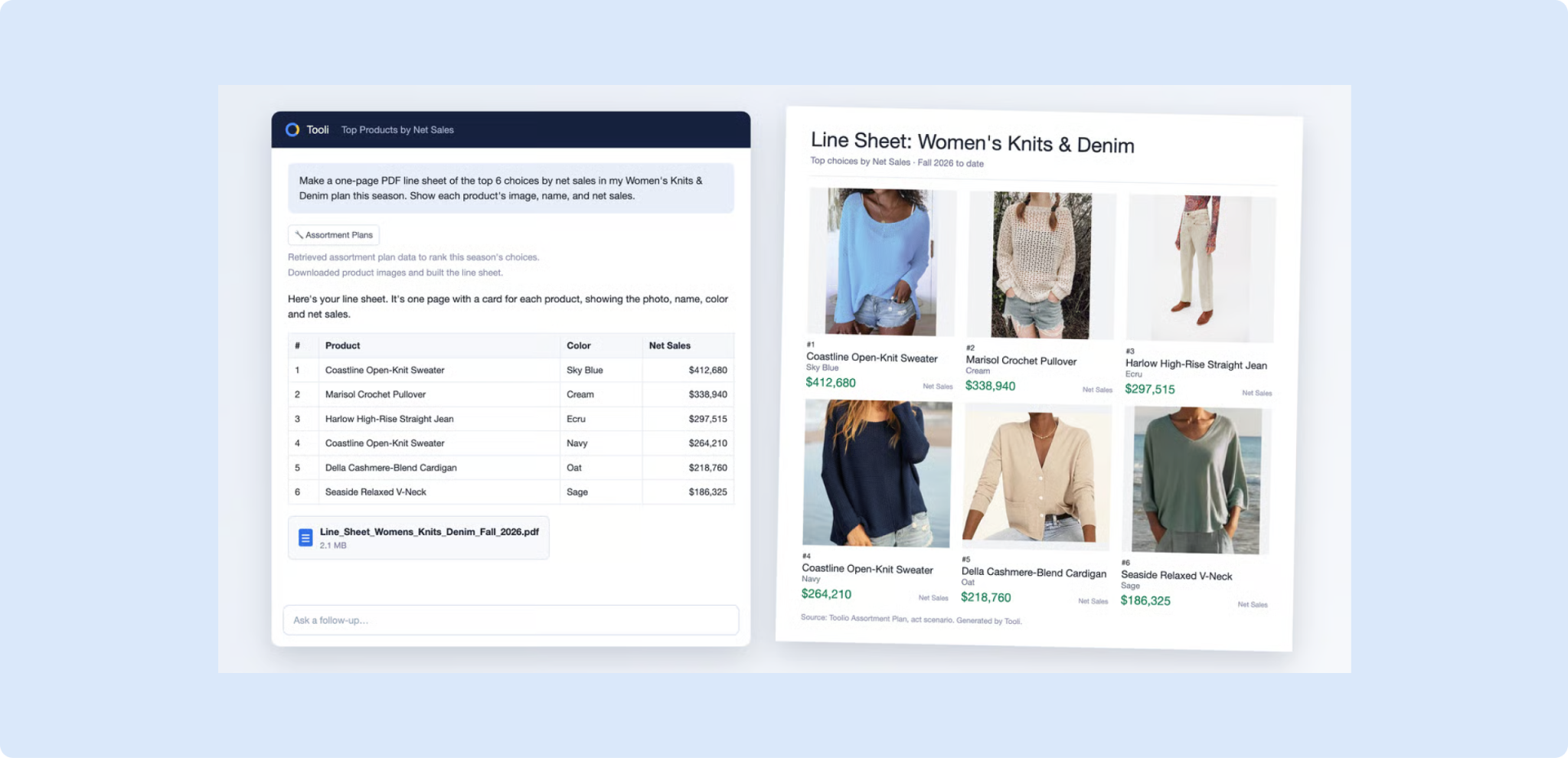
Tooli now natively supports product images. Ask for a PDF, deck or report and your product photos are placed directly in the file, instead of a “View image” link.
Merchandise Planning
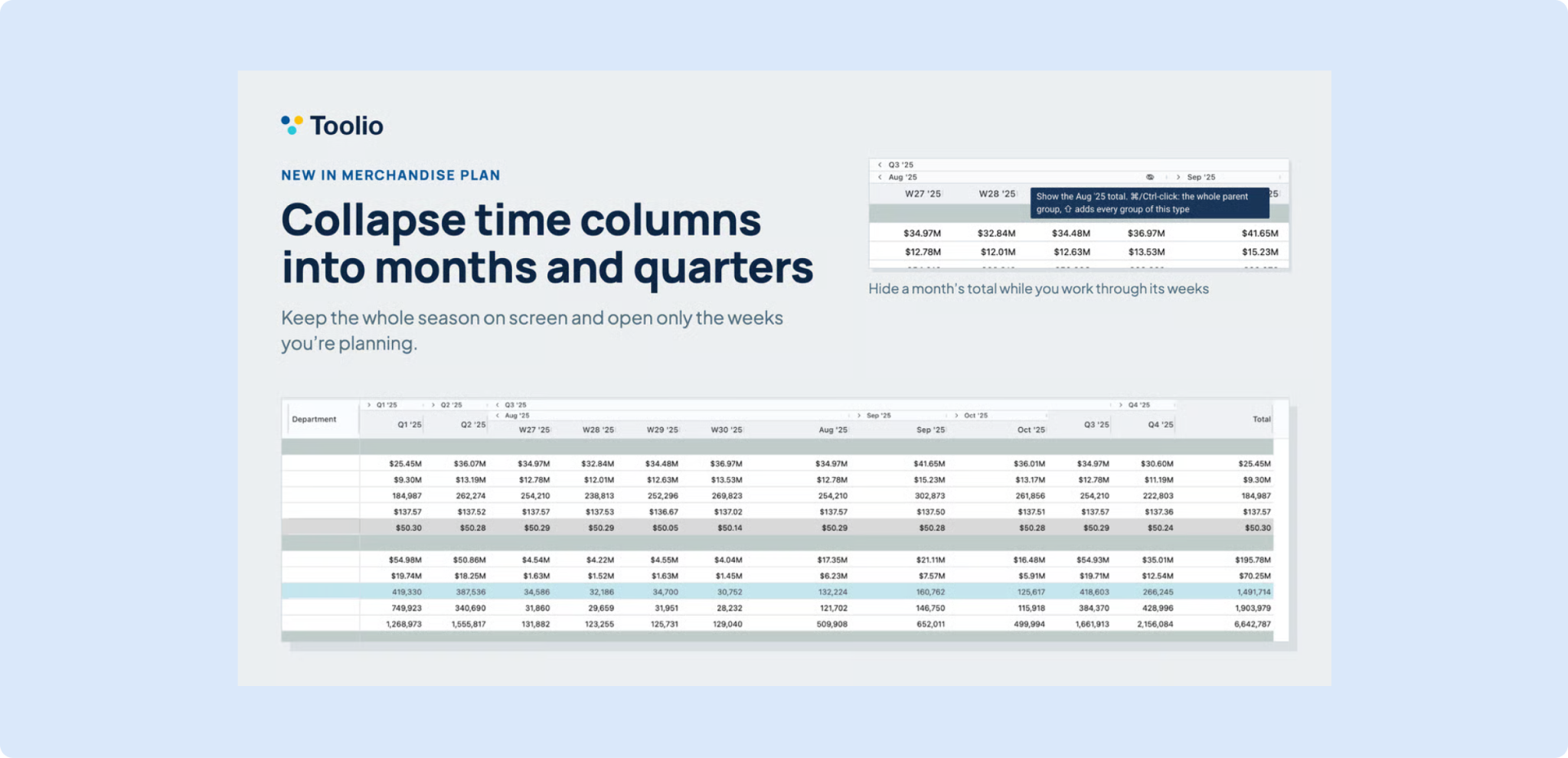
🗂️ Collapse Time Columns into Months and Quarters
Merchandise Plan can now group time columns by period, with weeks under their month and months under their quarter. Fold any period down to its total for a cleaner, easier-to-scan grid. Turn it on per view from Grid Options.
👉 Read more on how to customize views
Assortment Planning
📈 Gross Sales Units vs Last Year in Assortment Plan Line Building
Gross Sales Units in Line Building now offers two more variants: Act LY and Plan vs Act LY %. Tick them on from the Variants menu to see last year beside your plan on every choice and how far above or below last year you are planning.
🔎 Find Assortments by Their Scope on the Assortment Summary
The Assortment Summary can now filter by what each assortment is scoped to, such as Department, Class or Supplier. It makes finding the right assortment in a long list much faster.
👉 Read more on creating a new assortment
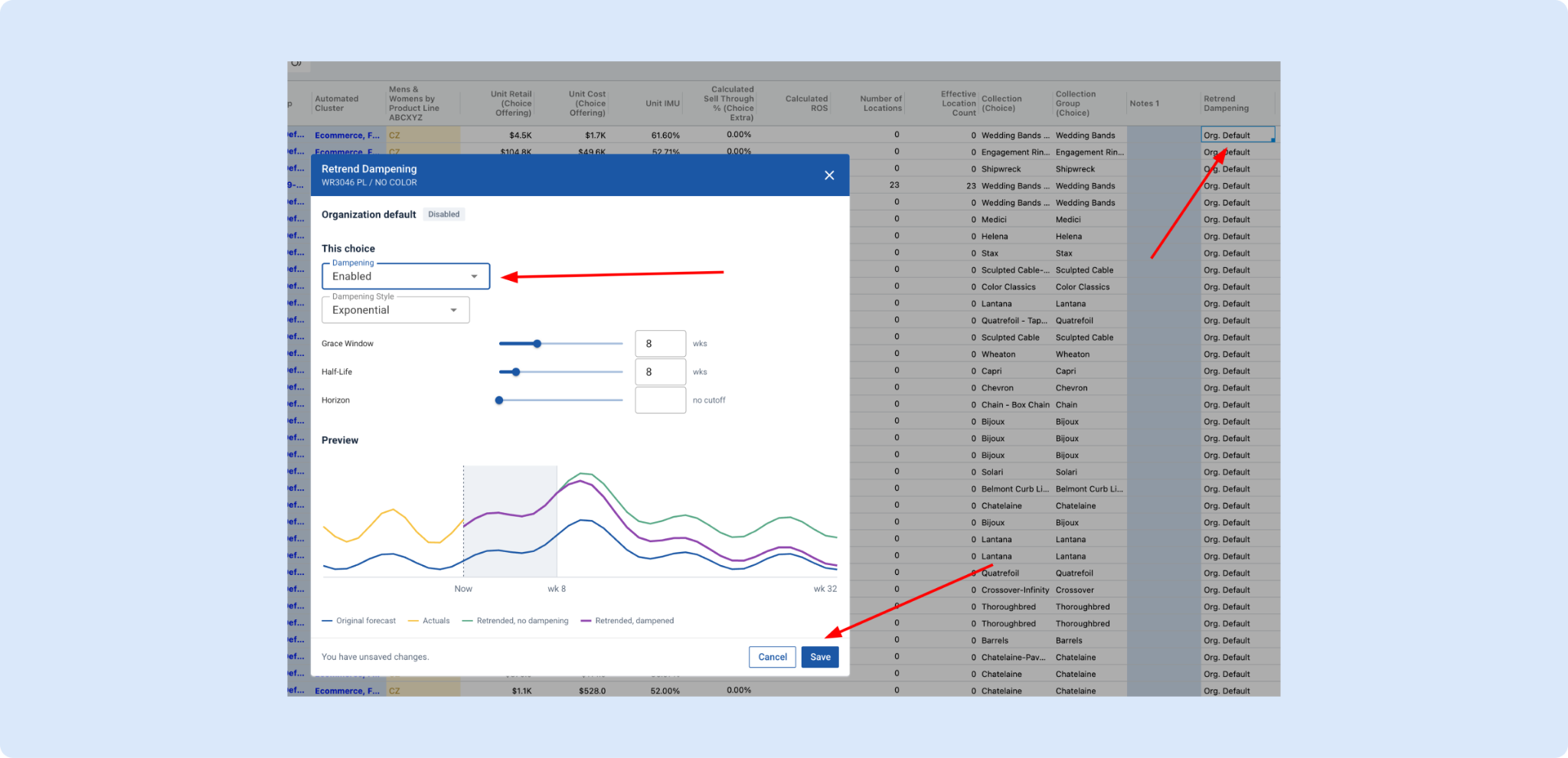
📉 Trend Dampening
Retrend now supports Trend Dampening, so a recent sales trend no longer pushes your forecast in the same direction forever. Set a Grace Window and choose how the fade happens, and the forecast eases back toward your original plan over time.
👉 Read more on in season retrending
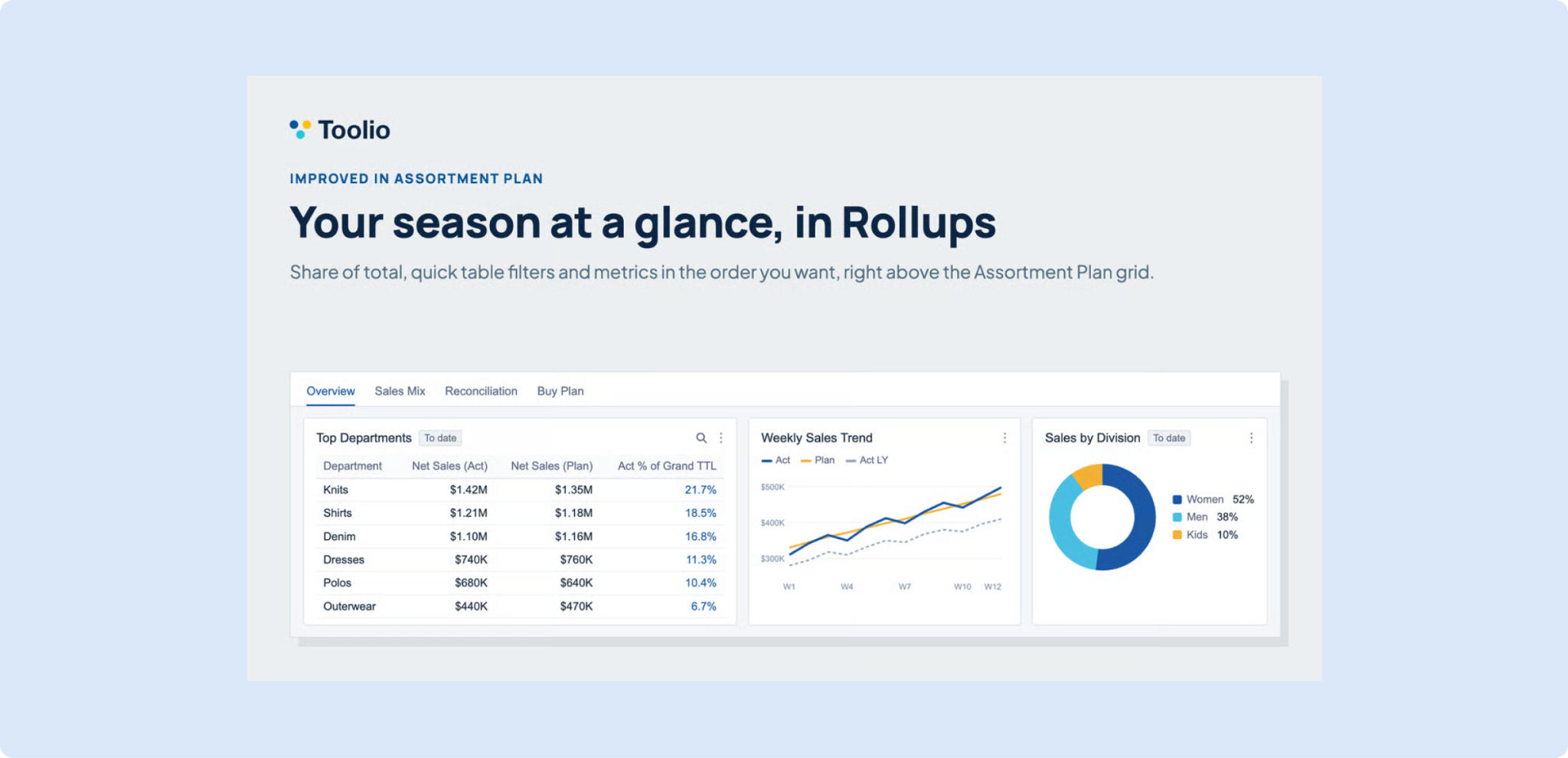
📊 Build Your Own Rollups in Assortment Plan
The new Rollups panel puts your key numbers right above the Assortment Plan grid, in tabs of KPI tiles, tables and charts that you set up yourself. An admin turns it on in Assortment Plan Settings.
👉 Read more on how to use Rollups Panel in Assortment Plan
📈 Share of Total and Clearer Numbers in Rollups
Rollups widgets now show each group’s share of the total with % of Grand TTL and % of TTL, read number tiles more clearly, and pick variants from the same list as the grid’s view menu.
👉 Read more on how to use Rollups Panel in Assortment Plan
General Platform Updates
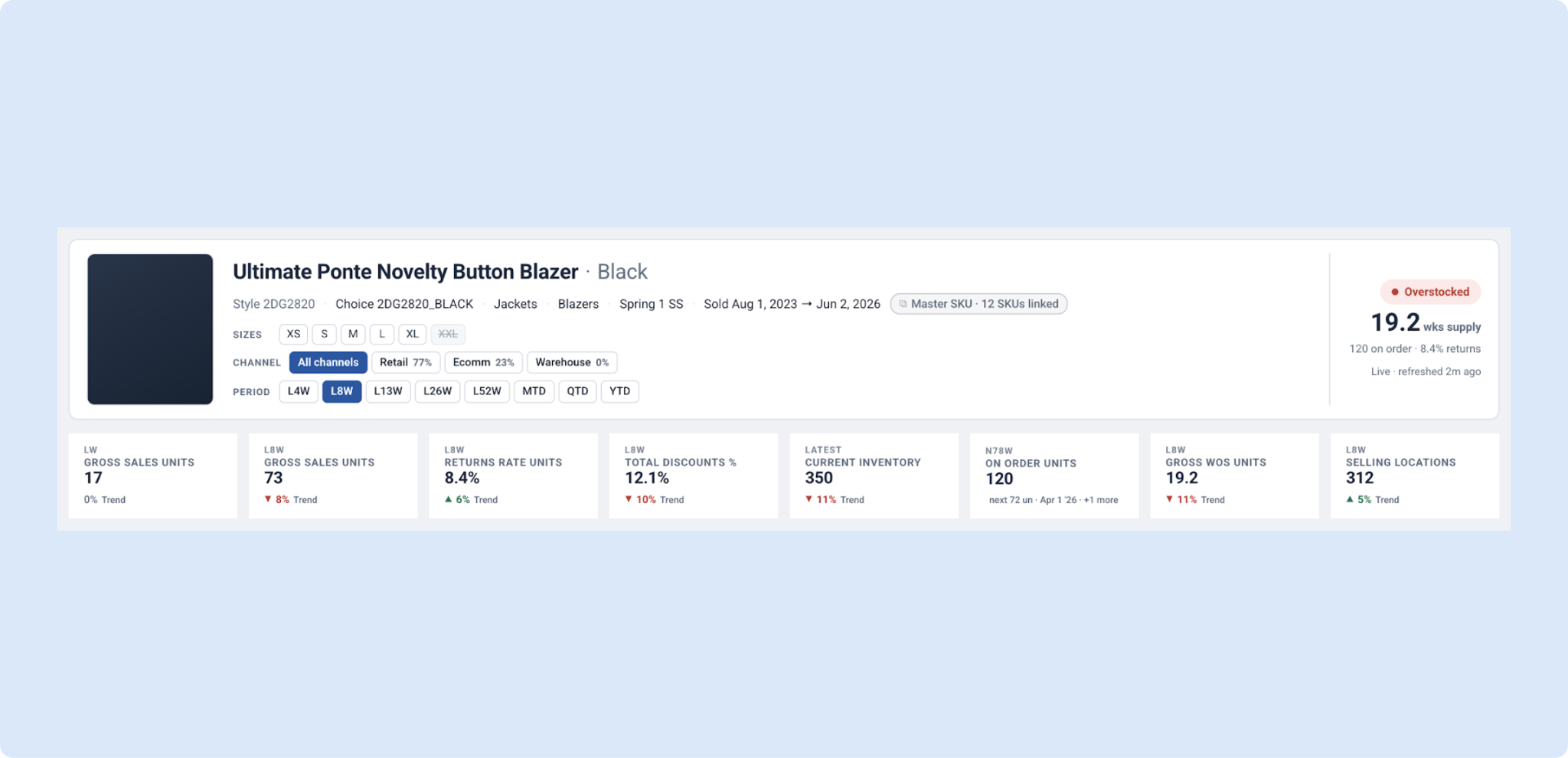
📅 Pick the period on Product and Hierarchy Summary
Product Summary and Hierarchy Summary now have a Period control next to the Channel selector, with options from the last 4 to 52 weeks or month, quarter and year to date. The KPIs, charts and tables all follow your selection.
📌 Your Visualization Saves with the View
Your chart now saves with the view. Set up a visualization once, save the view, and it comes back exactly as you left it after a reload, a view switch, or a filter or date change.
Need Help? We're Here for You!
Our support team is always ready to assist you. If you have any questions about these updates or need help getting started with new features, don’t hesitate to reach out!
Is there a feature you think would be a great addition? Let us know here!


