









Training
New Training Available: Multi-Currency Planning in Assortment Plan
A new training course covers Multi-Currency Planning in Assortment Plan for teams that plan across regions and currencies. It walks through setting unit cost, retail, and ticket values in each cluster’s local currency, using custom exchange rates so plans reflect real planned rates, and switching between Metrics and Reporting views. It removes the manual price-conversion pain from global merchandising.
👉 Head on over to Toolio Academy to learn more!
Merchandise Planning
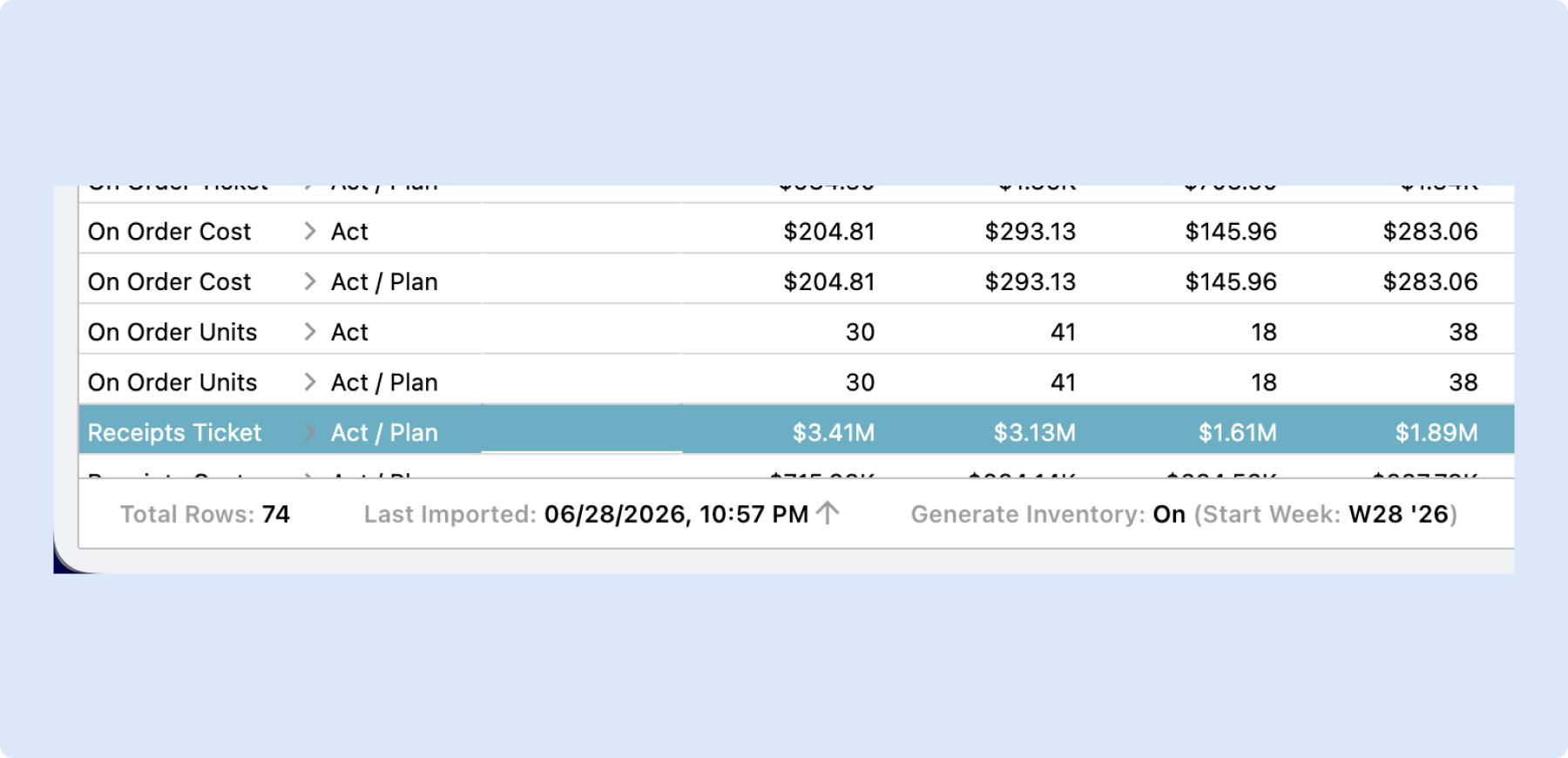
See Generate Inventory Status on the Grid
The status bar on the Merchandise Plan and Item Plan grids now shows whether Generate Inventory is On or Off, right next to Last Imported. You can tell at a glance which period BOP and receipts will recalculate from, instead of opening the Scenarios menu to check. It removes the ambiguity between an active recalculation and nothing happening.
Scenario Sections in Item Planning
Scenario sections are now available in Item Planning, letting you group related scenarios into sections just as you can in Merchandise Planning. Because both modules share the same scenarios, they also share the same sections, so the organization stays consistent across the two. It keeps large scenario lists tidy and easier to navigate.
👉 Learn more in the Scenario Planning help article.
Assortment Planning
Flow System to Adjusted
You can now accept the System retrend for just a selected range of weeks, instead of unlocking your entire forecast or copying numbers over choice by choice. Select a week range on the grid, right-click, and choose Flow System to Adjusted; your Lock Forecast setting stays on and weeks outside the range keep their current values. It gives you precise control over exactly which part of the forecast you refresh.
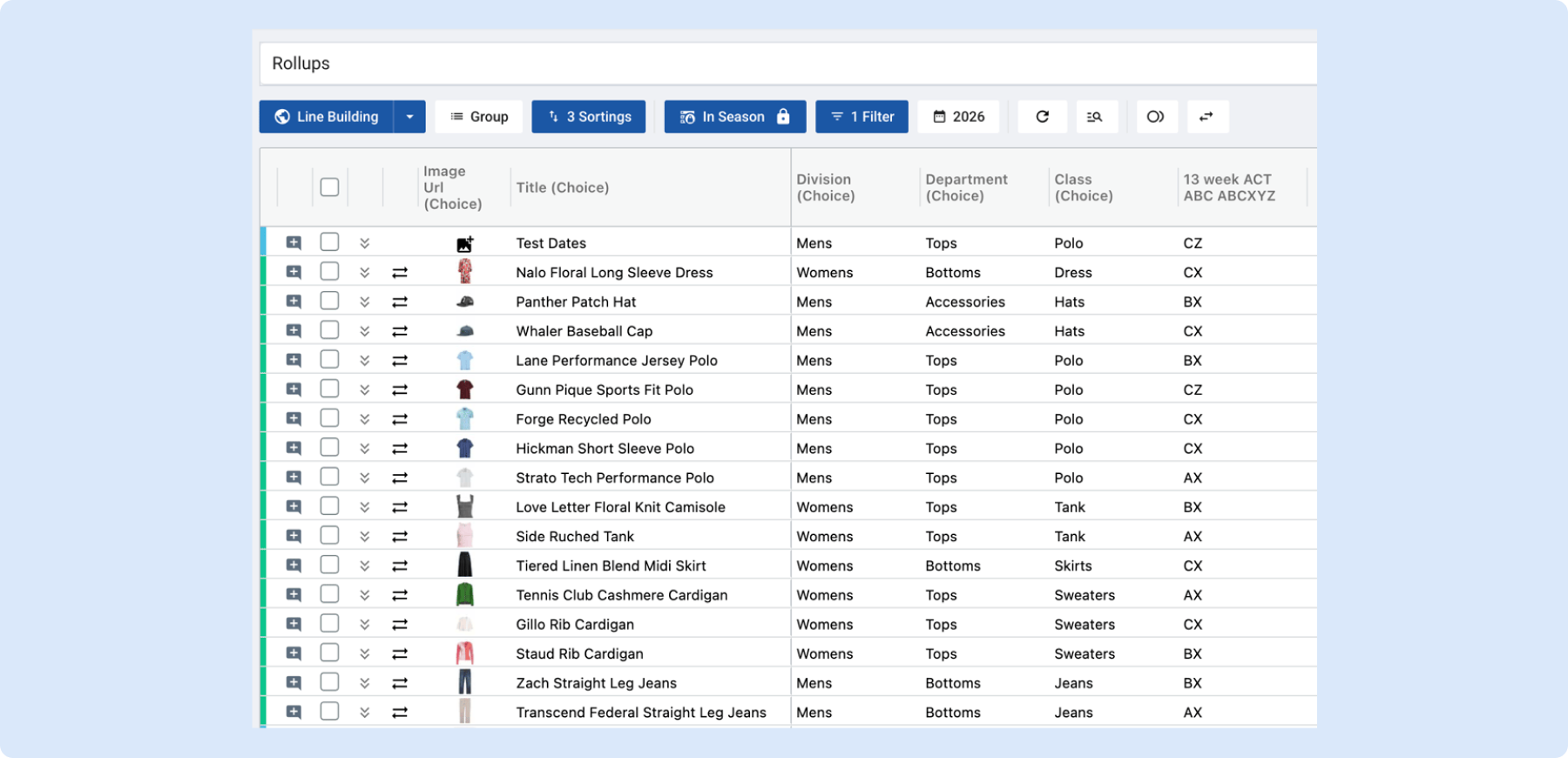
ABCXYZ Analysis in Assortment Plan
ABCXYZ Analysis is now available in Assortment Plan, classifying every choice on two dimensions at once: ABC ranks by performance (sales, units, or margin) and XYZ ranks by demand predictability. Each choice gets a combined two-letter grade such as AX, BX, or CZ that shows both how much it contributes and how reliably it sells. Configure the metric, time frame, and thresholds in Settings then Intelligence, and surface the result as a single selectable column on the Line Plan grid.
👉 Learn more about ABCXYZ Analysis
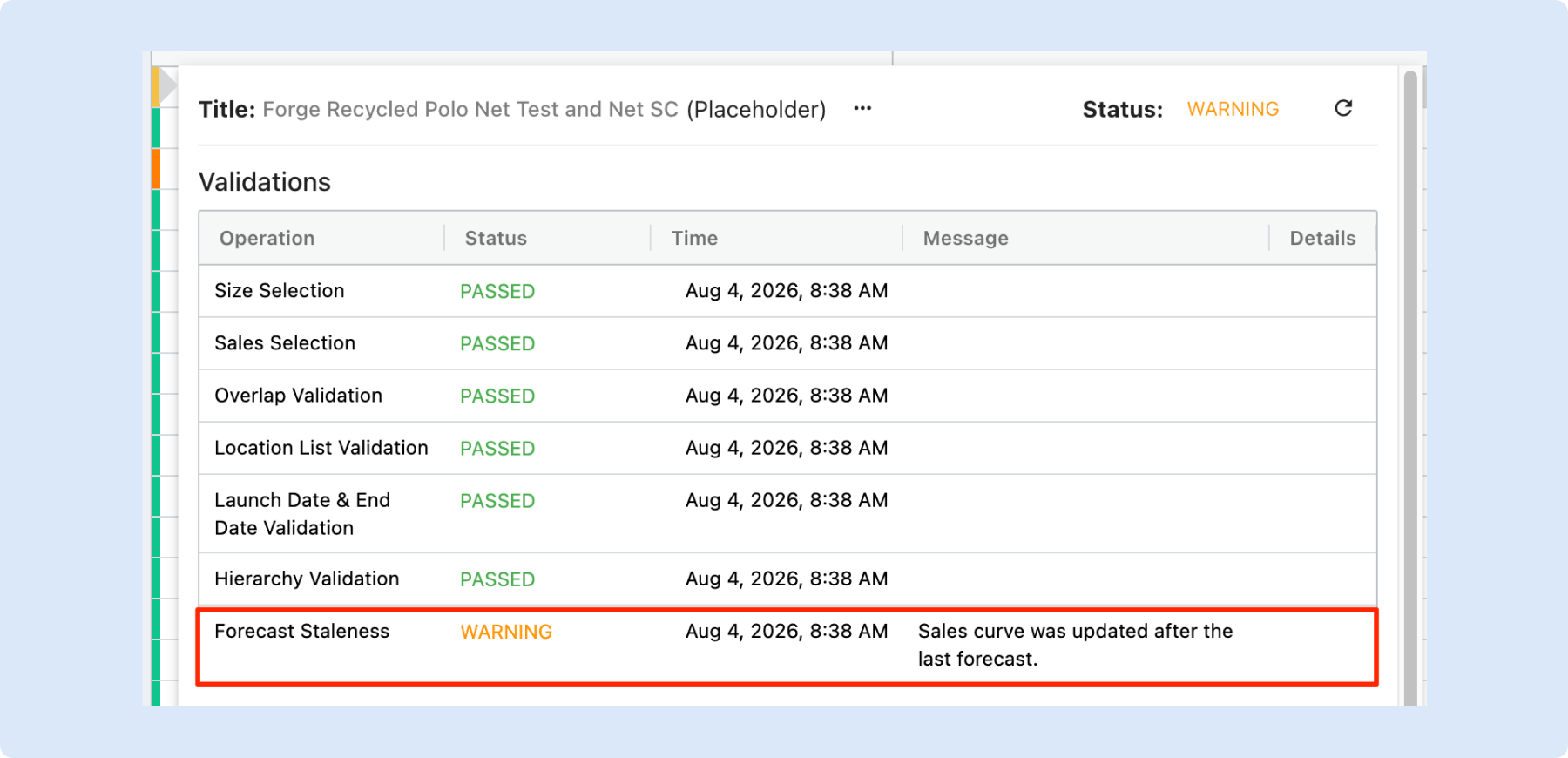
Forecast Staleness Warnings in Assortment Plan for Sales Curve
Assortment Plan now flags any choice whose sales curve has changed since its last forecast, so you can catch stale forecasts before they distort your numbers. This first release covers the Sales Curve, with additional forecast inputs planned for upcoming releases. It gives planners an early warning to re-forecast the affected choices.
See when your Assortment was last synced with Merchandise Plan
A new Last Synced column on the Assortment Summary grid shows exactly when each assortment last received Merchandise Plan data, so you always know whether the numbers are current. The right-click action is now labeled Sync (previously Refresh) to reflect that it runs in the background and can take up to about 30 minutes on large assortments. It gives planners confidence they are working from up-to-date figures.
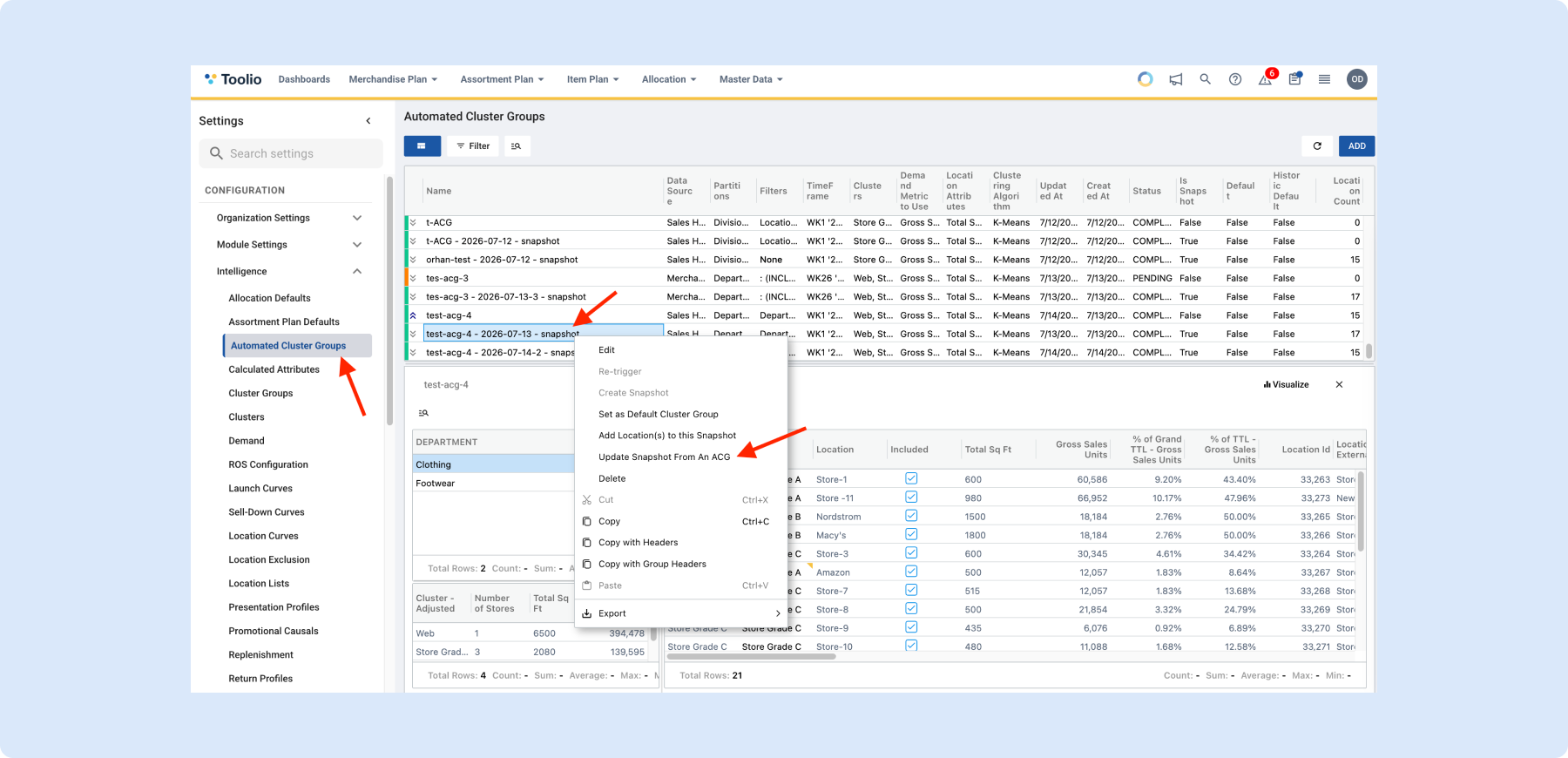
Update Snapshot from Reference ACG
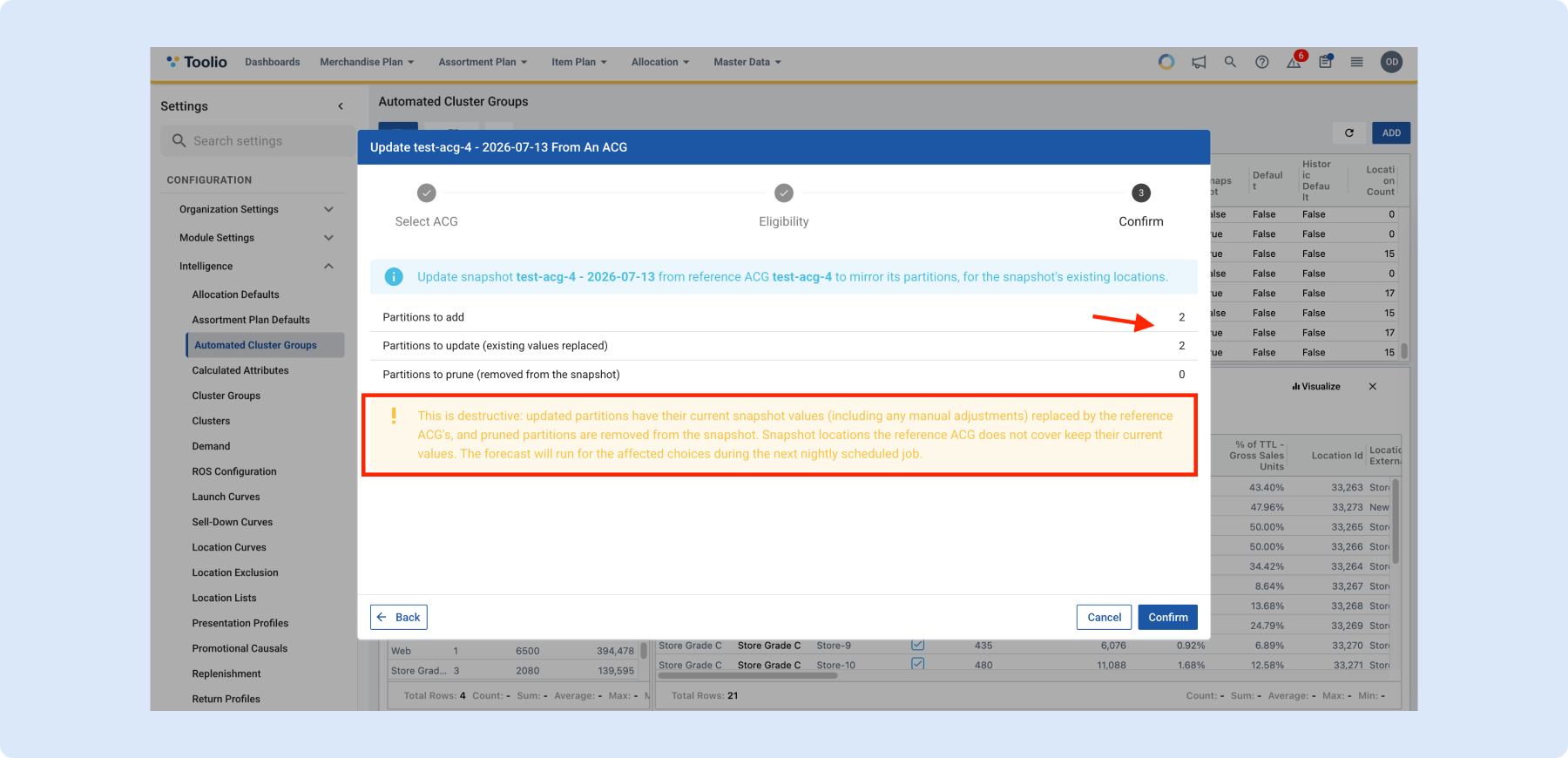
You can now update an Automated Cluster Group (ACG) snapshot from its reference ACG when your clustering strategy evolves. Previously, adding new partitions updated the live ACG but left existing snapshots unchanged; now those snapshots can be brought in line with the current clustering. It keeps Assortment Planning aligned with your latest cluster definitions.
👉Learn more in the Automated Cluster Groups help article.
Allocation
Edit Transfer Recommendations from your AI Assistant
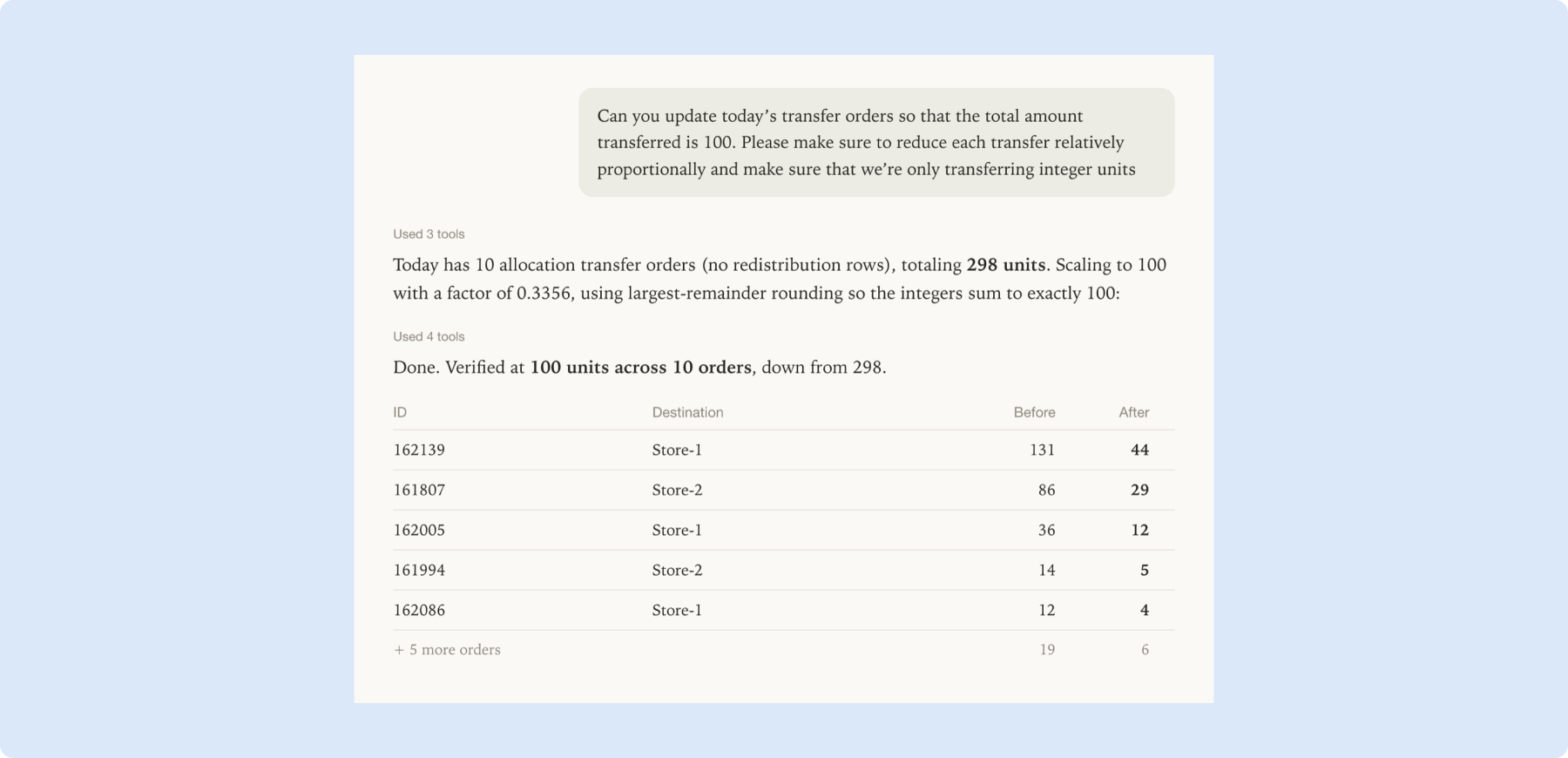
The Toolio MCP Server can now edit Recommended Transfer Orders, not just read them, so your AI assistant can scale units down to fit a constraint you supply or shift a transfer or receipt date and write the change straight back. Both the Allocation and Redistribution datasets are now readable through MCP, so you can compare before and after in the same conversation. It lets you apply real-world capacity constraints the engine does not know about without leaving chat.
Available for organizations with the Toolio MCP Server and the Allocation module enabled.
👉 Connecting to Toolio MCP Server
General Platform Updates
Page-Aware Prompt Suggestions in Tooli
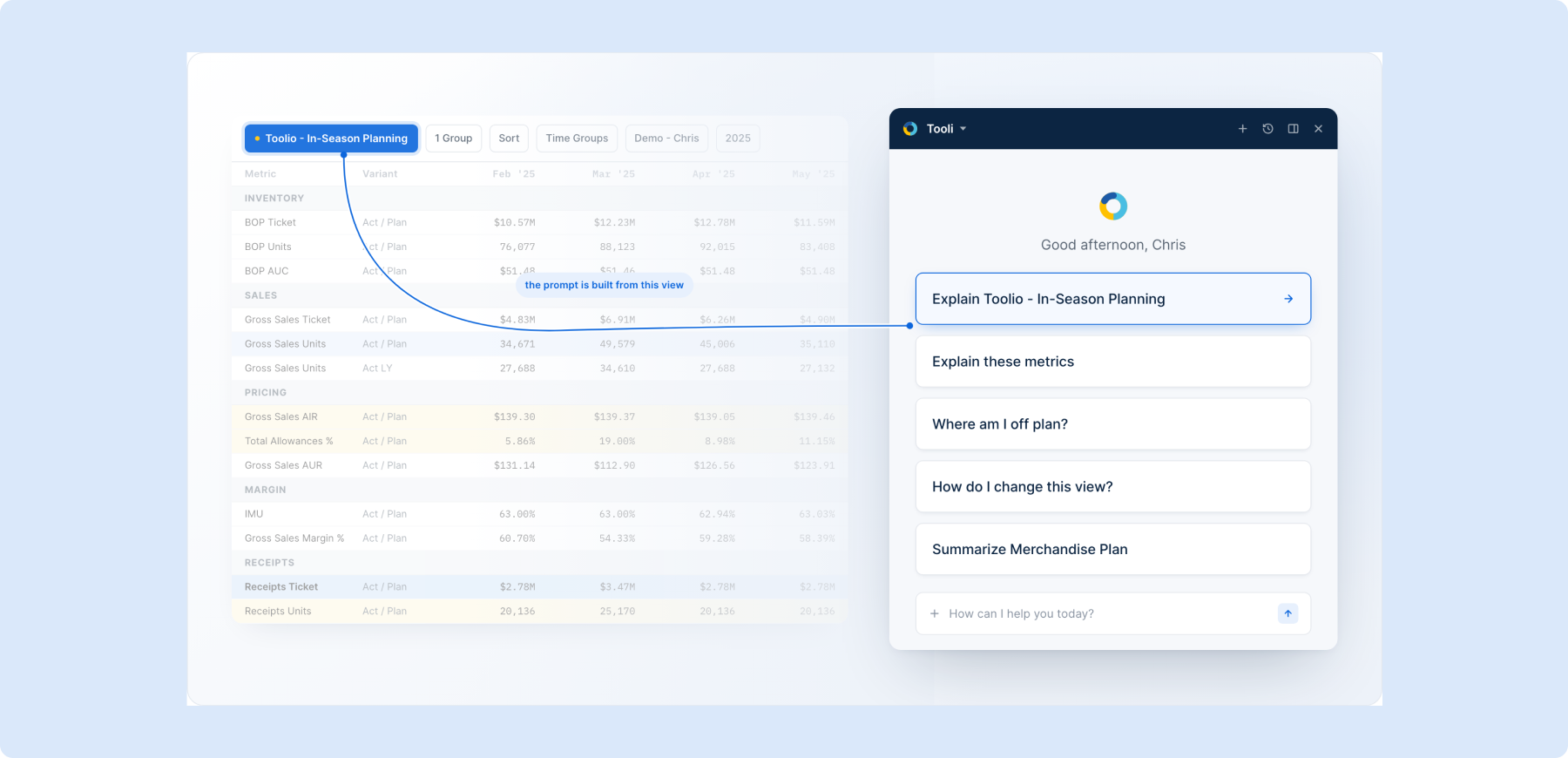
Tooli now suggests questions based on the page you are viewing, offering one-click prompts tailored to a merchandise plan, allocation, or product view. Instead of typing a question from scratch, you can start with a relevant suggestion and refine from there. It lowers the barrier to getting useful answers out of the assistant.
Jump to Columns from the Quick Filter
The quick filter now finds columns, not just values. Start typing a column name and matching columns appear right in the search panel; pick one and the grid scrolls straight to it, briefly highlighting the header. It makes navigating wide grids much faster.
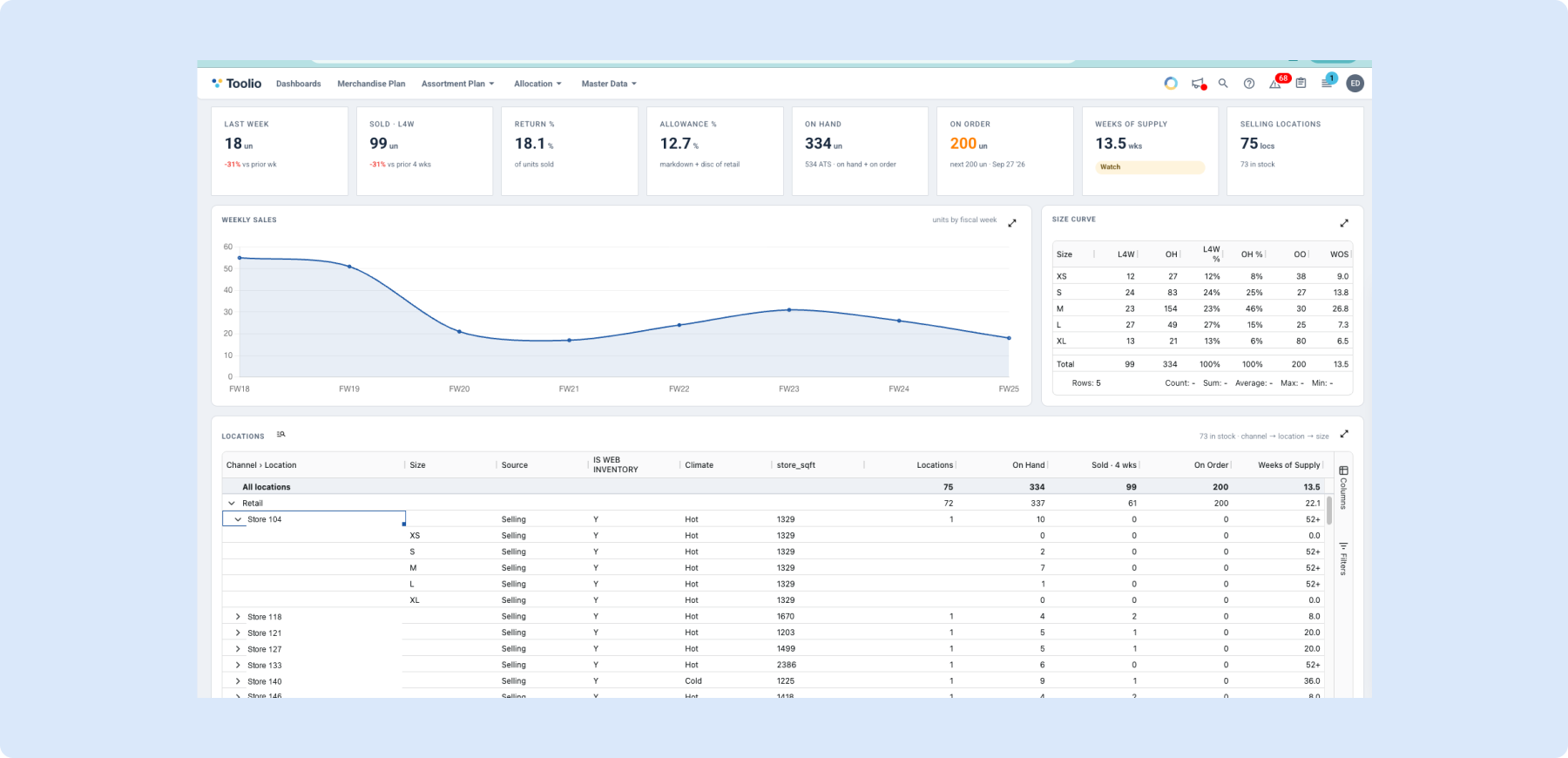
Product Summary: Your Location Attributes, Down to Size
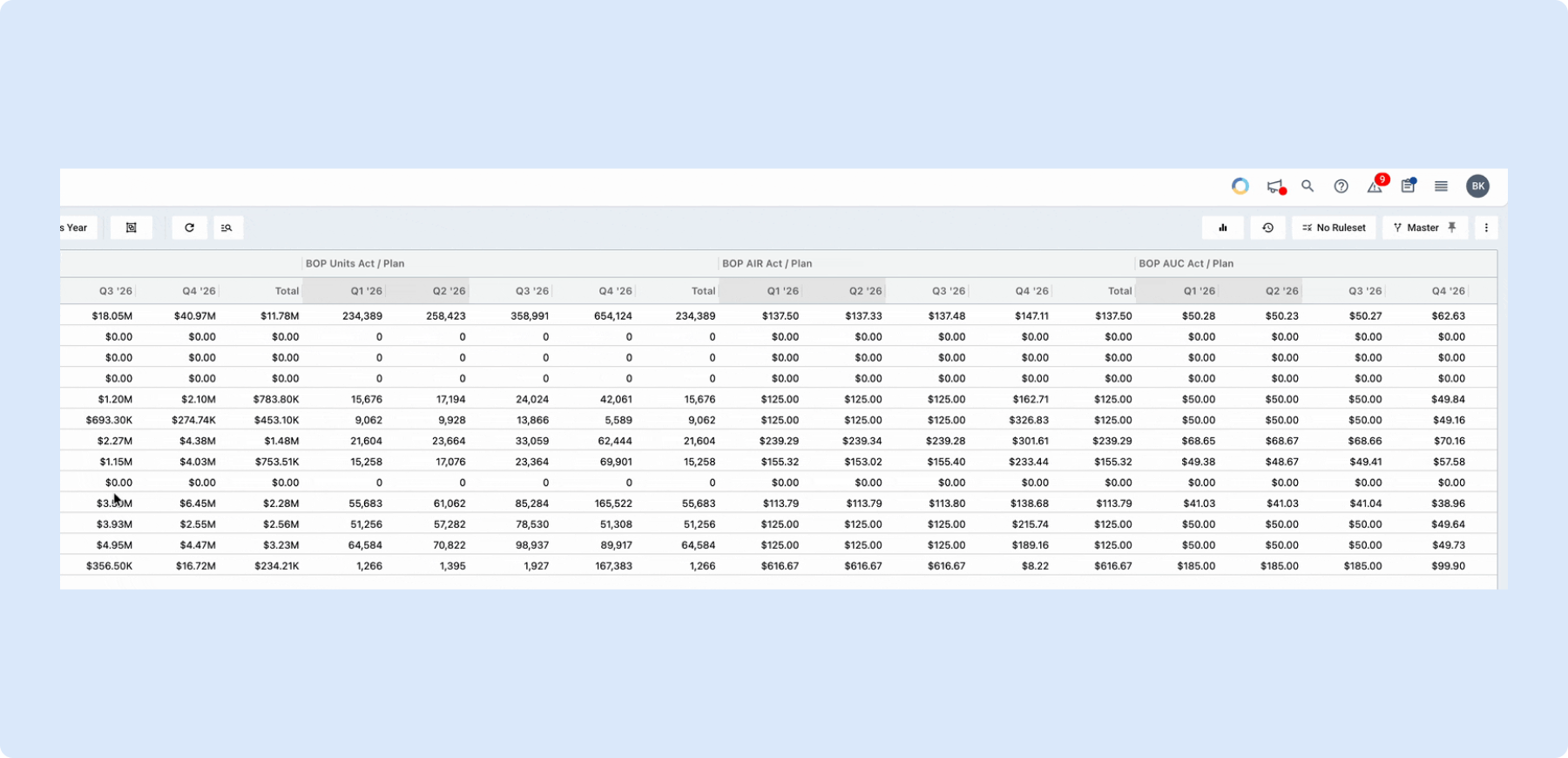
The Locations panel on Product Summary now surfaces every custom attribute you keep on Location as a column, and lets you group doors by any of them. Whatever your business runs on, such as store type, district, climate, square footage, ownership, or region, shows up automatically with no configuration required. It gives you a far richer view of location performance, down to size.
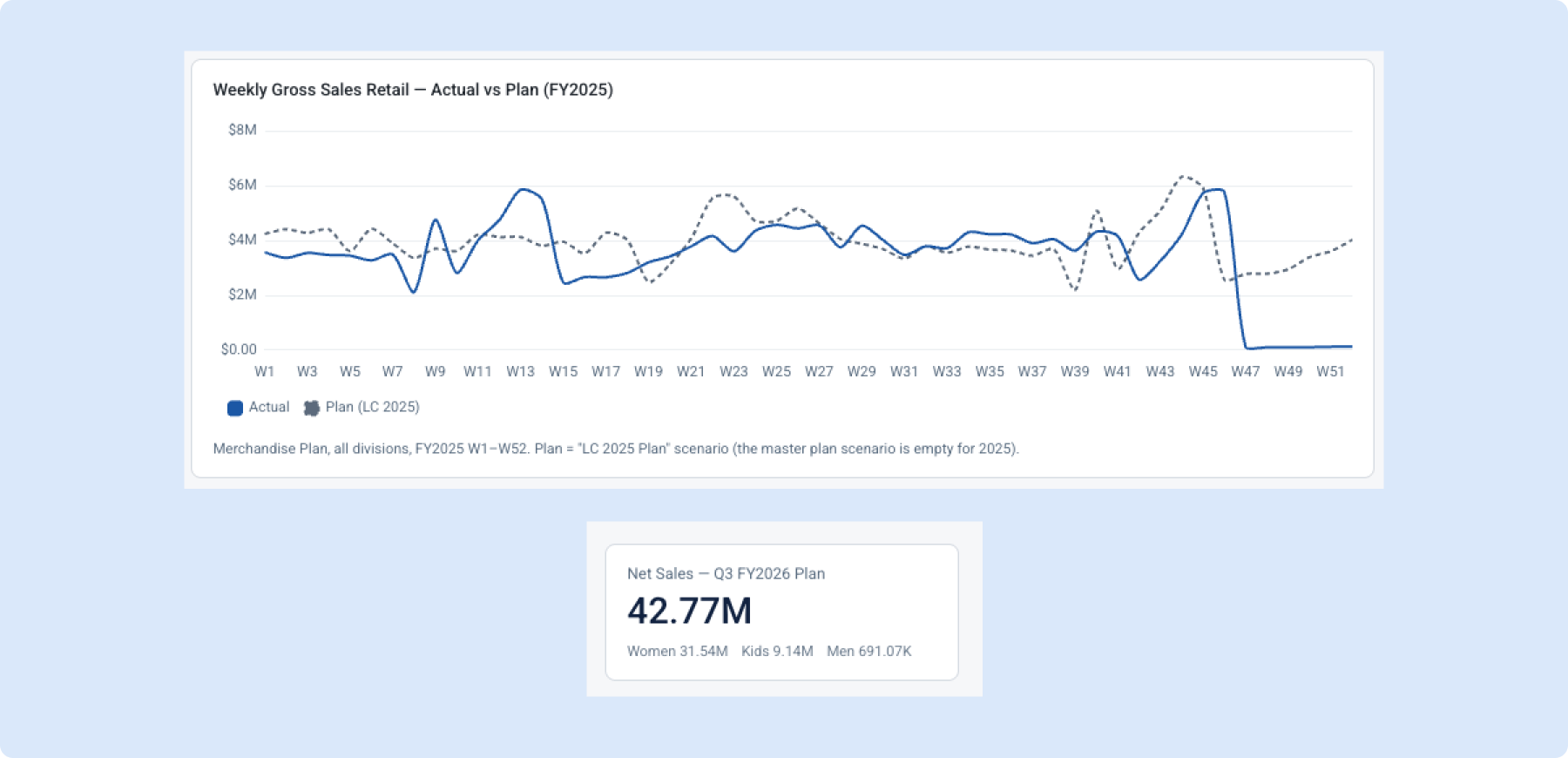
Tooli now answers with charts, KPI cards, and live grids
Tooli can now answer visually right in the chat, with KPI cards, charts (line, area, bar, grouped bar, stacked bar, and donut), and read-only live grids. Plan or last-year figures are drawn as a dashed reference line so comparisons are clear at a glance. It turns the assistant into a fast way to see your plan, not just read about it.
Available now for every organization with Tooli enabled. Learn more
Download Files Straight from Chat
You can now ask Tooli to hand back a real, downloadable file right in the chat instead of copying data out by hand. Request something like a Monday morning report and Tooli drops a download chip, with Excel, CSV, JSON, Markdown, and plain text all supported. It makes it easy to take your data out of chat and into another tool.
Product Summary: A Single Page for One Product
Product Summary brings everything about a single product onto one page, where inventory sits, how it has been selling, and which sizes are gone, instead of hopping between filtered views. It saves planners from piecing the picture together manually across multiple screens. It is a focused, one-product-at-a-time view built for quick checks.
👉 You can learn more about product summaries here.
Need Help? We're Here for You!
Our support team is always ready to assist you. If you have any questions about these updates or need help getting started with new features, don’t hesitate to reach out!
Is there a feature you think would be a great addition? Let us know here!


